
Everything a private practice needs, nothing it doesn't.
Client records, session notes, your diary, money, supervision, your hours and CPD, and your Clinical Will, all on your own computer, in one encrypted Vault.
Everything is encrypted and stays on your computer. Nothing is sent anywhere unless you choose to connect your calendar or email, and even then, only what you choose.
What's newHomeIn actionSupervisionHours and CPDMore featuresSecuritySwitchingHours tool
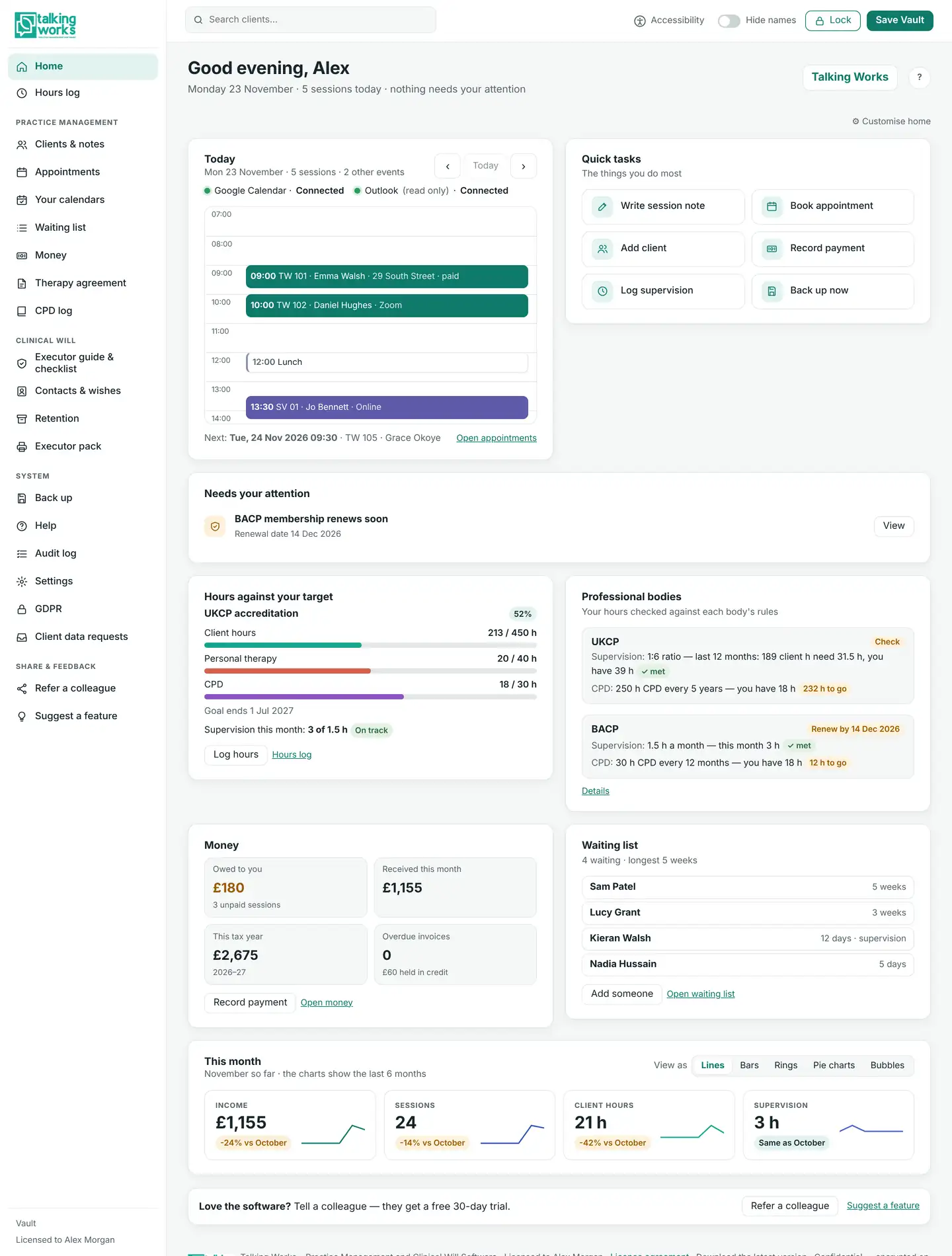
Version 2: calmer, and connected if you want it to be.
Prices, the free trial and licence keys are unchanged. If you already have a licence, your key works in the new version.
- A calmer, cleaner look: a menu down the left, grouped into Practice Management, Clinical Will and System, with short-cuts such as Add a client and Write a session note
- Pages, not pop-ups: client records, notes and other pages open inside the main window, with your practice name and logo on every page
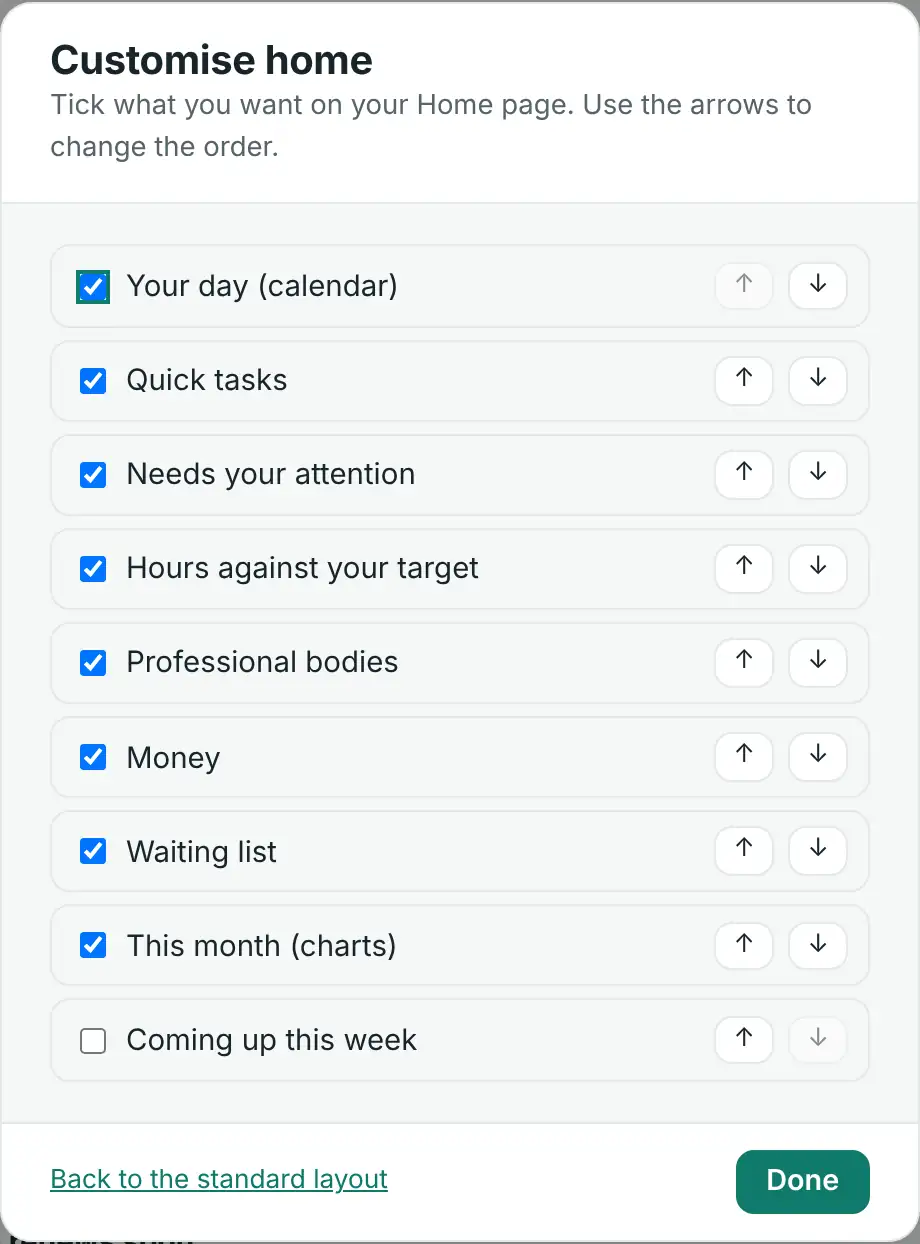
- A Home page you arrange: choose your widgets and put them in your own order
- Your diary, connected: day and week calendars, with an optional live link to Google Calendar and Outlook
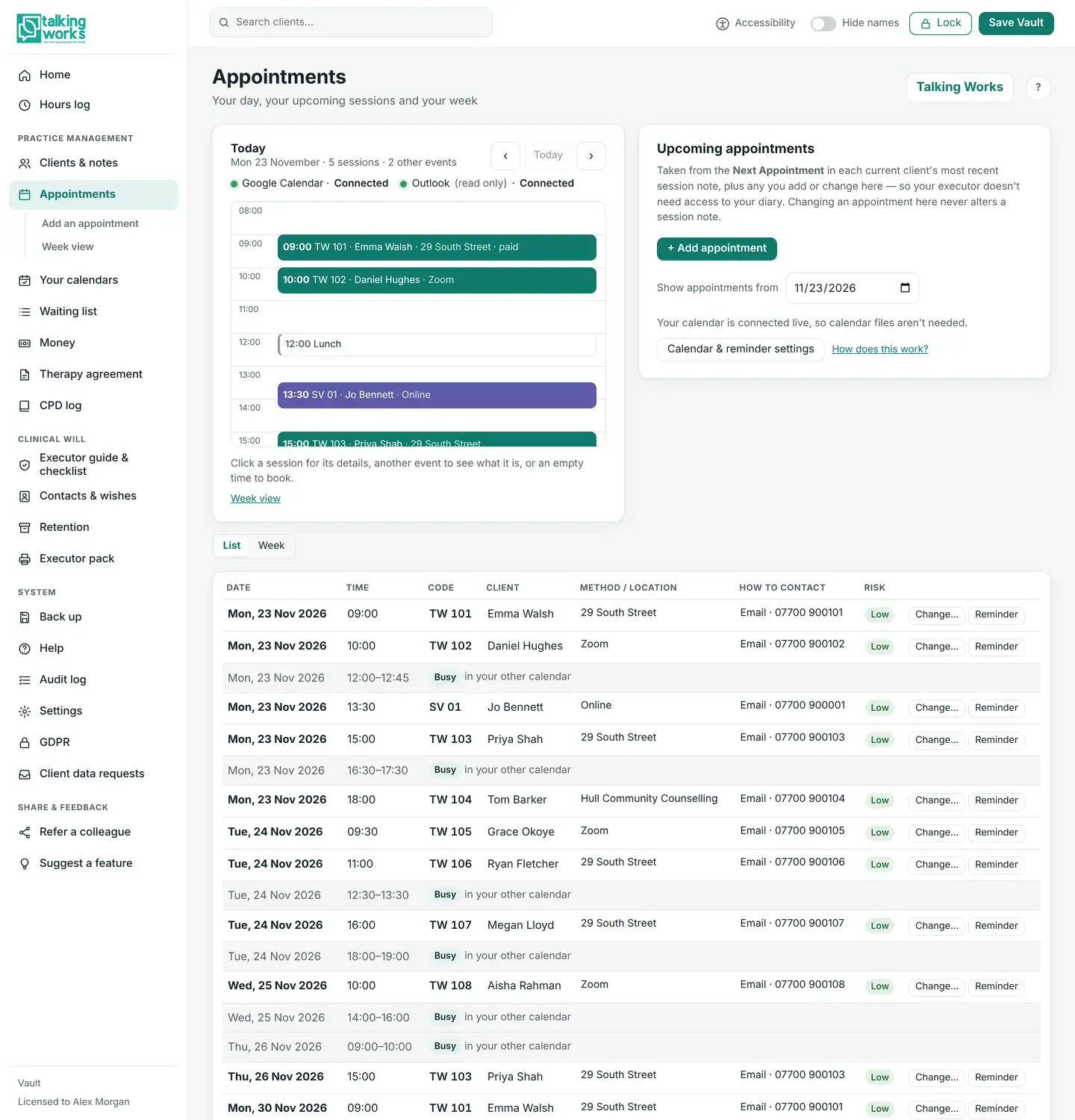
- Appointments that do more: an appointment page with attendance, fees and pre-payments
- Money, faster: tick “Payment already received” as you write the session note
- Email from your own Outlook: send reminders, invoices and receipts from your own address (Gmail connection coming soon)
- Supervision, done properly: process notes flow into your Supervision topics, and supervision hours go into your Hours log
- More than one professional body: each with its own supervision and CPD rules
- Accessibility: text sizes, high-contrast and cream colours, an easy-read font and more, on every page
See what matters to you, first.
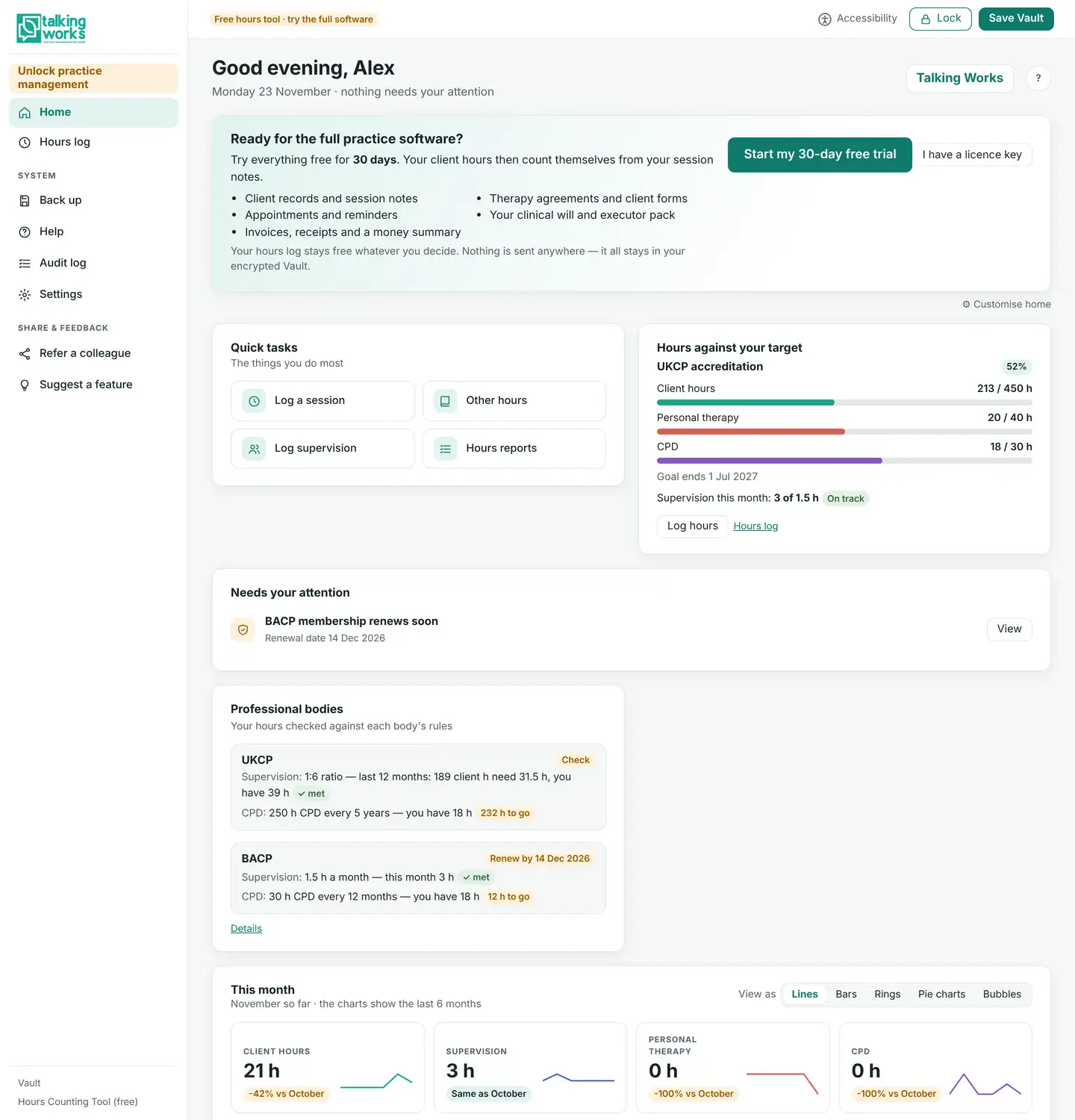
Tick the widgets you want on your Home page and put them in your own order.
- Your day (a calendar), Needs your attention, Quick tasks and Coming up this week
- Hours against your target, and your professional bodies with renewal reminders
- Money, the waiting list, and This month as lines, bars, rings, pie charts or bubbles
- Three modules in one place: Hours Counting, Practice Management and your Clinical Will. Hours counting is free in both products
Everything a private practice needs, nothing it doesn't.
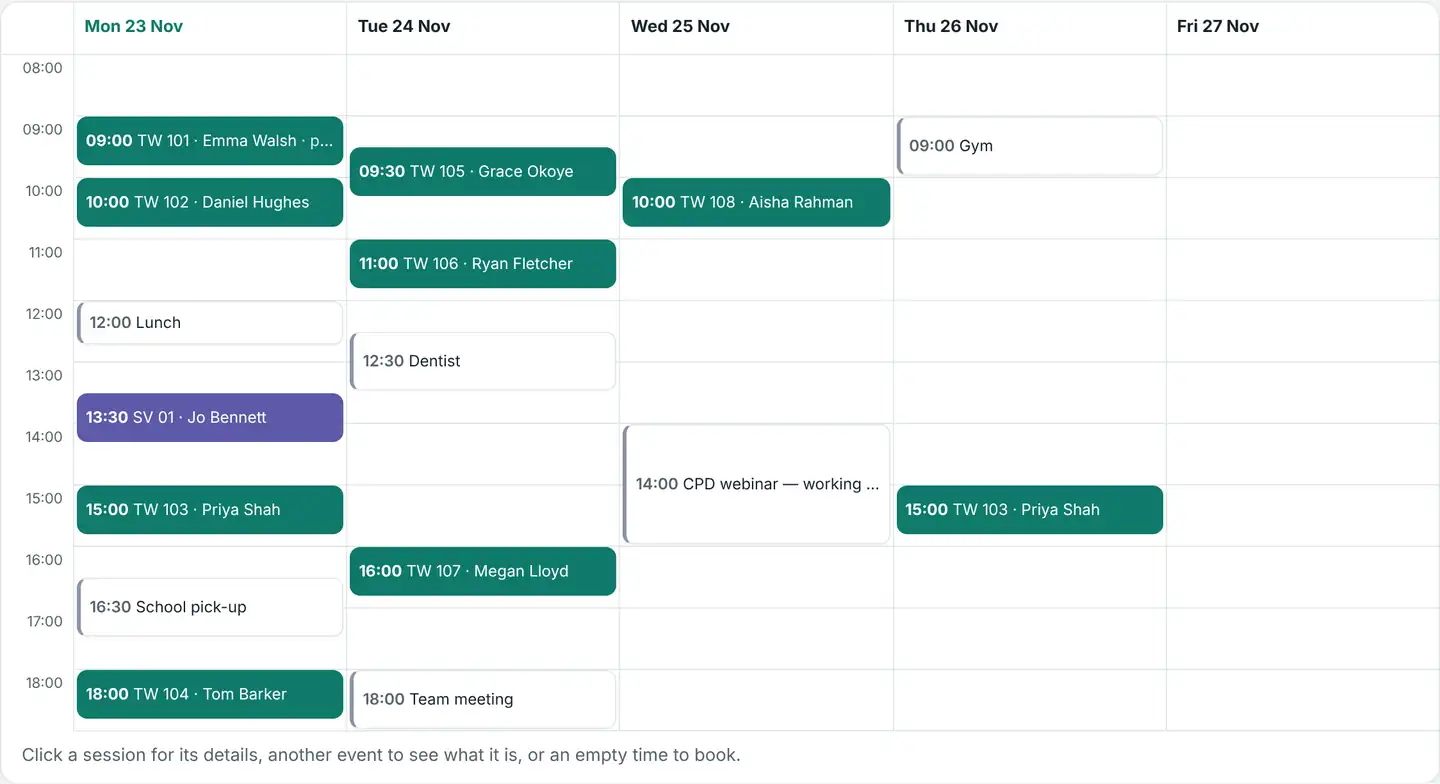
Your whole day in one place
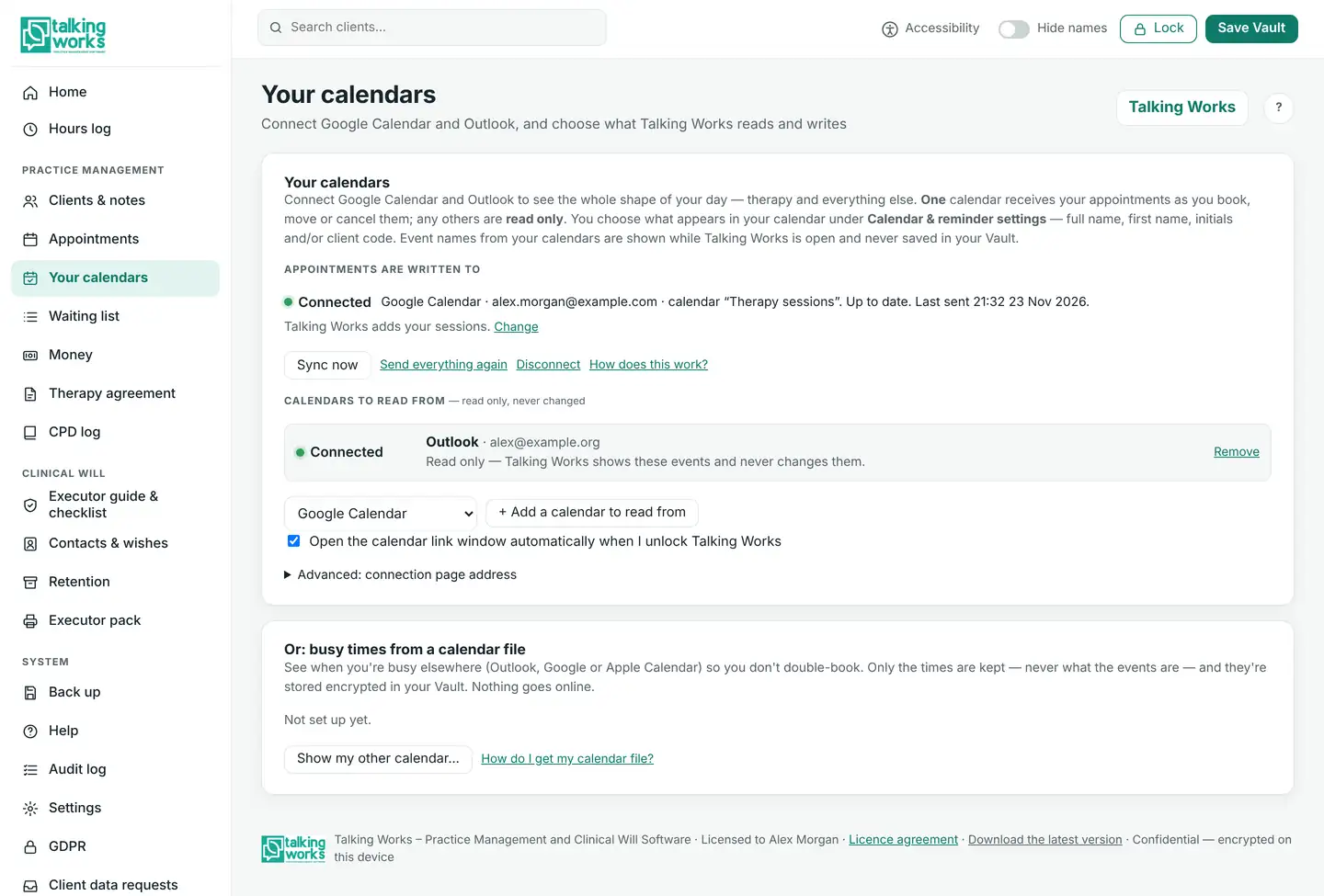
Day and week calendars on Home and in Appointments. Click a session to open it, click another event to see what it is, or click an empty time to book.
- An optional live connection to Outlook / Microsoft 365 and Google Calendar (being verified by Google)
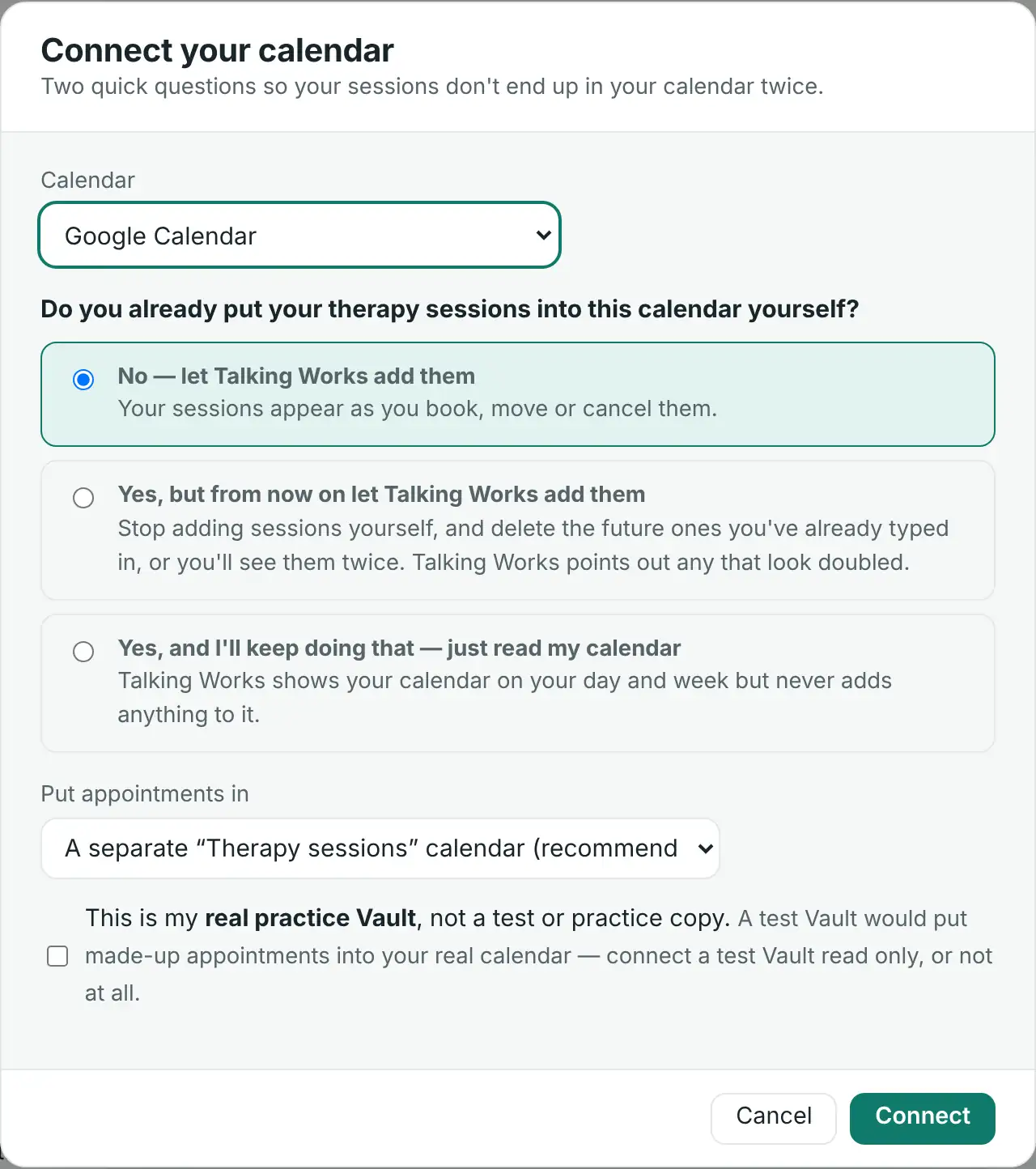
- One calendar receives your appointments as you book, move or cancel them; any others are read only
- Your other events show by name while you work, so you see the whole shape of your day. Event names are never saved
- You choose what your calendar shows: full name, first name, initials and/or client code. Paid sessions can show “PAID”
- Green and red dots show whether each calendar is connected, and safeguards stop sessions appearing twice
Sends and syncs while Talking Works is open. Work accounts may need their organisation's approval to connect Outlook. See section B4 of the privacy notice.
Every appointment, sorted
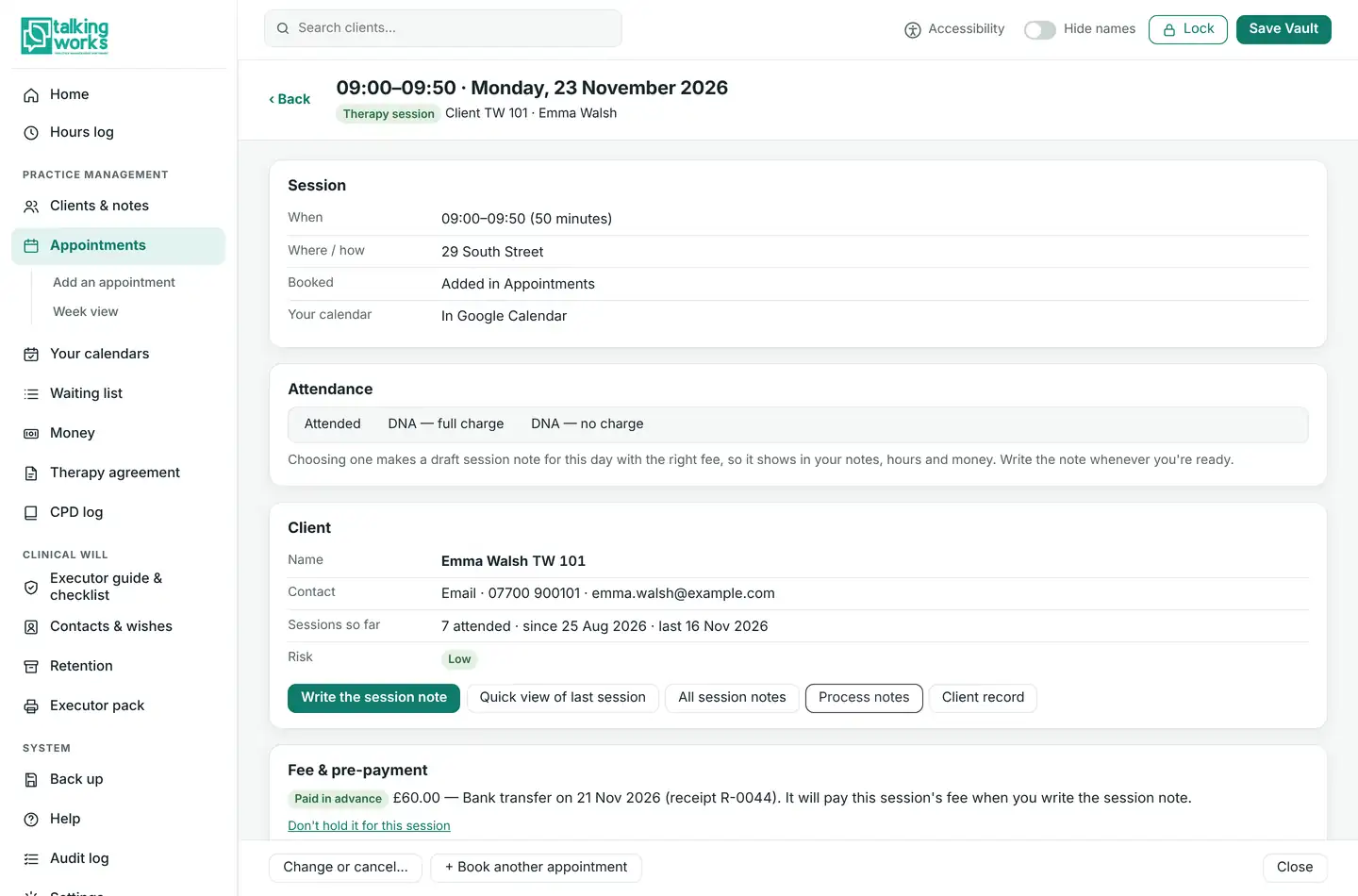
Each appointment has its own page, with the client's details, the fee and what happens next.
- Attended, DNA with full charge, or DNA with no charge, in one click
- Pre-payments: record money paid in advance, or set existing credit aside, and it pays the fee when you write the session note
- A missed or cancelled session never counts as a session or towards client hours, and isn't given a session number
- Change or cancel, or book another appointment straight away
Clients and notes
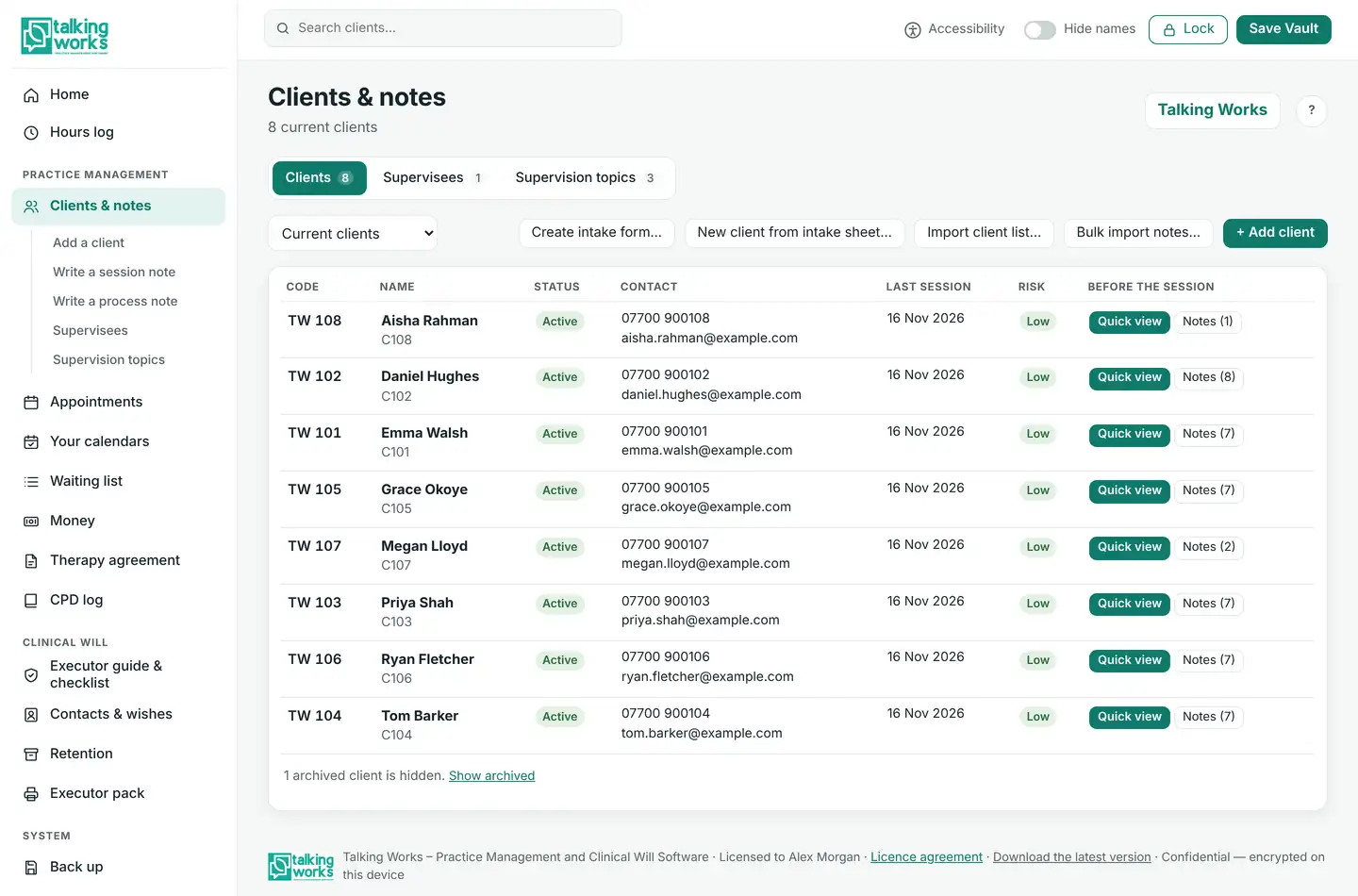
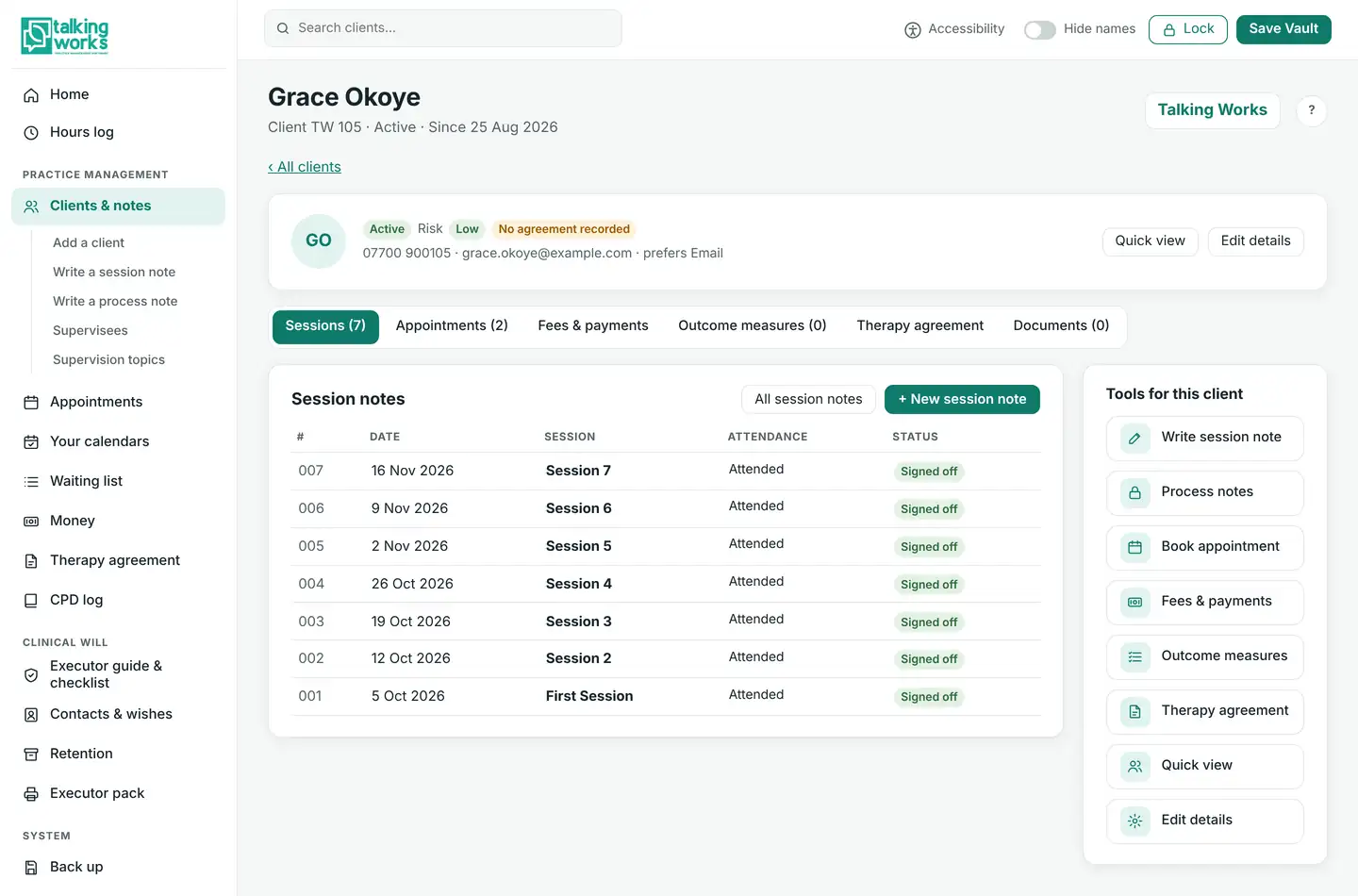
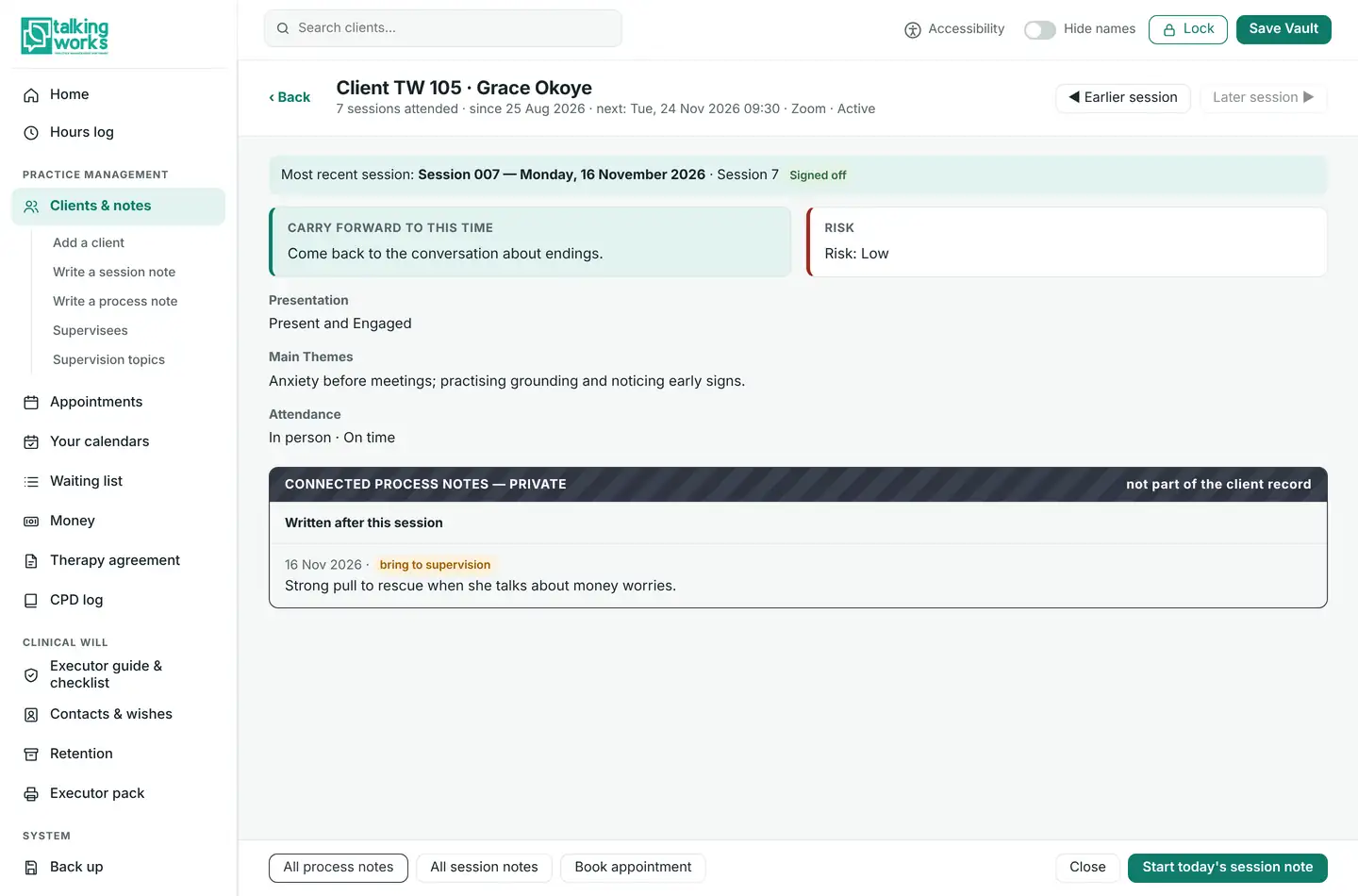
See every client at a glance, with tabs for clients, supervisees and supervision topics. Open a quick view before each session to see what to carry forward, risk, the last session and the latest questionnaire scores.
- Names, pronouns, contact details and precautions (such as “do not leave messages”), consent, GP and emergency contacts, intake, summary and risk
- Fees for each client, including a missed or late-cancellation fee and who invoices go to (for example an EAP)
- Import a client list from another practice system or a spreadsheet (CSV), with columns matched automatically and duplicates skipped
- Attach Word files, PDFs and photos, encrypted inside the Vault
Notes that know about money
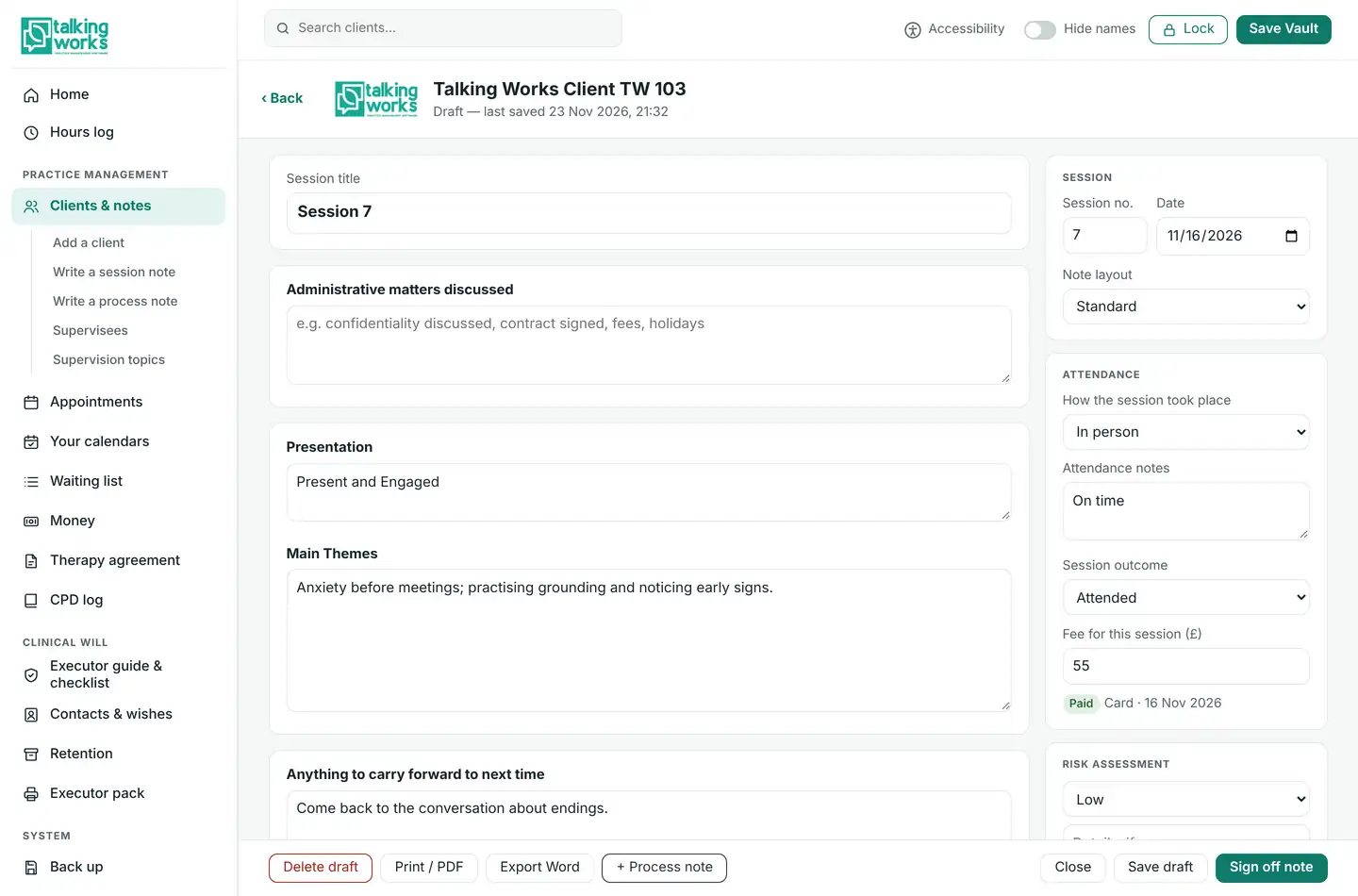
A clear template for every session, covering admin, attendance, risk, presentation and themes, with SOAP and DAP layouts if you prefer them.
- Tick “Payment already received” as you write the note, with no separate trip to Money
- Drafts are signed off when complete; later changes are kept as dated addenda or a version history
- Print, save as PDF or export to Word with your practice layout and logo
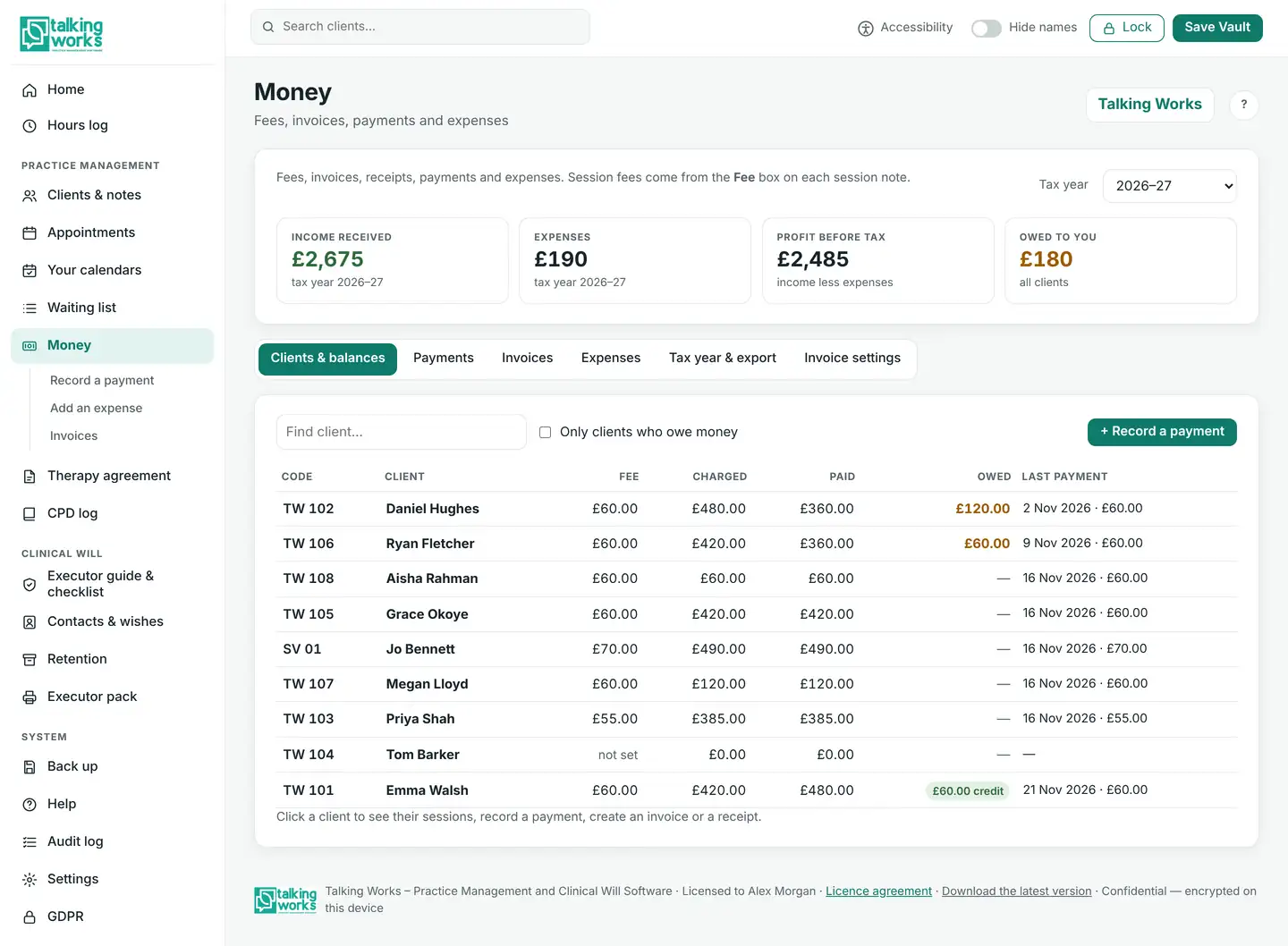
- Invoices and receipts, payments on account, expenses in HMRC self-employment categories and tax-year totals for your accountant
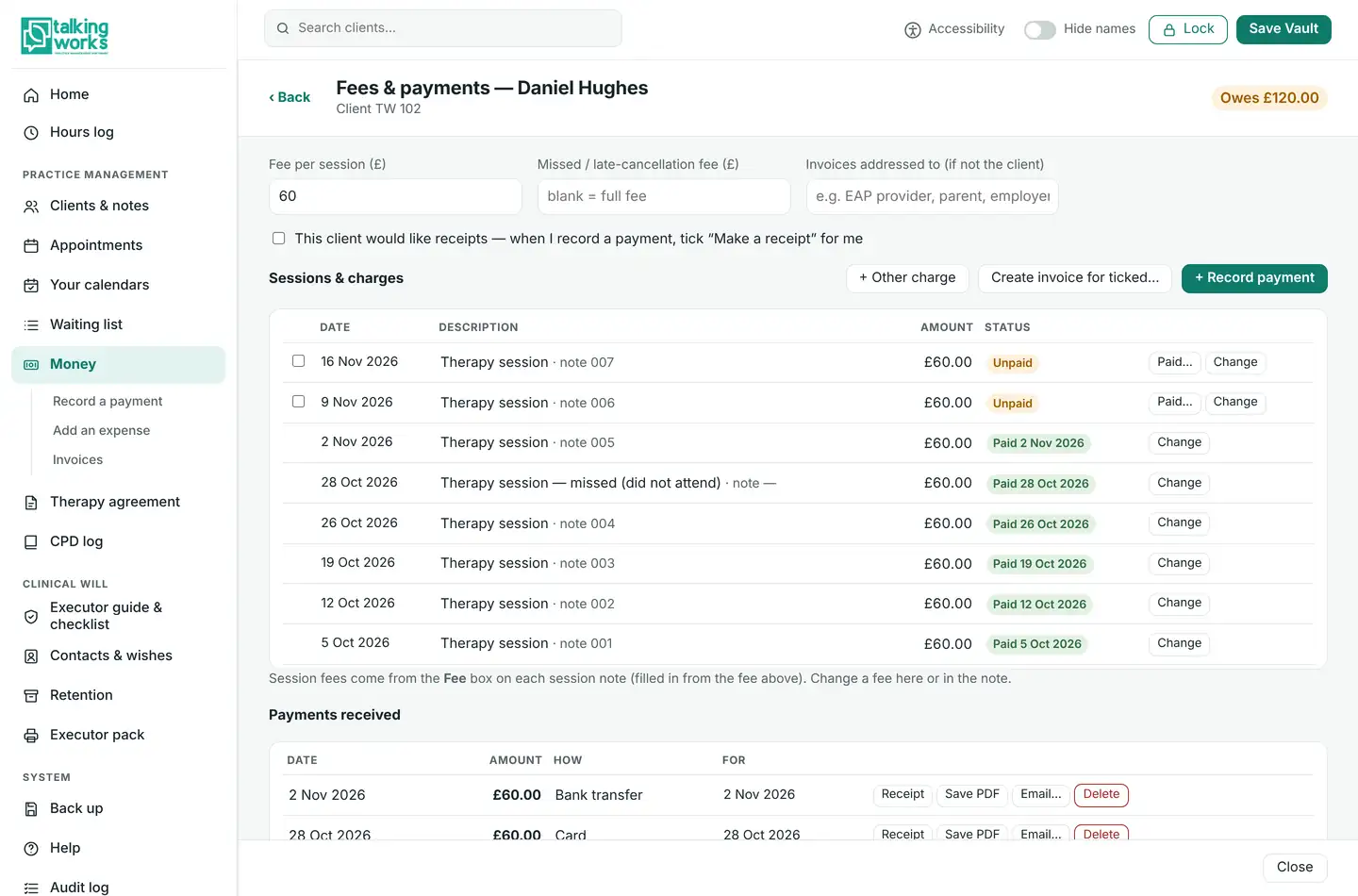
Send from your own email
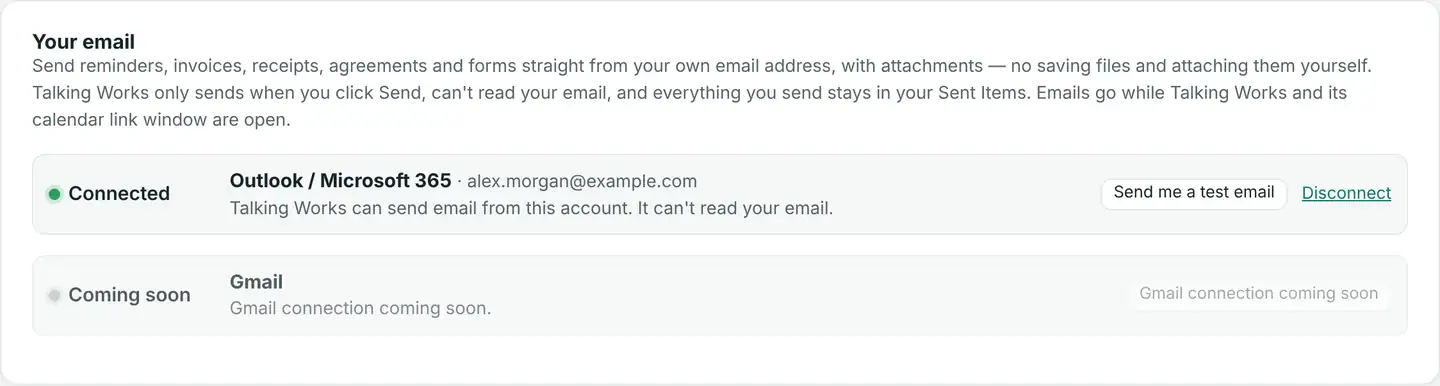
Connect Outlook or Microsoft 365 and send appointment reminders, invoices, receipts, therapy agreements, waiting-list offers and update-your-details forms straight from your own address, with the attachment added for you.
- Everything you send is in your own Sent Items
- Talking Works can send email, but it can't read your email
- An email is only sent when you click Send, while Talking Works is open
- Gmail connection coming soon. Until then, emails can still open in your own email program
Work accounts may need their organisation's approval to connect Outlook. See section B5 of the privacy notice.
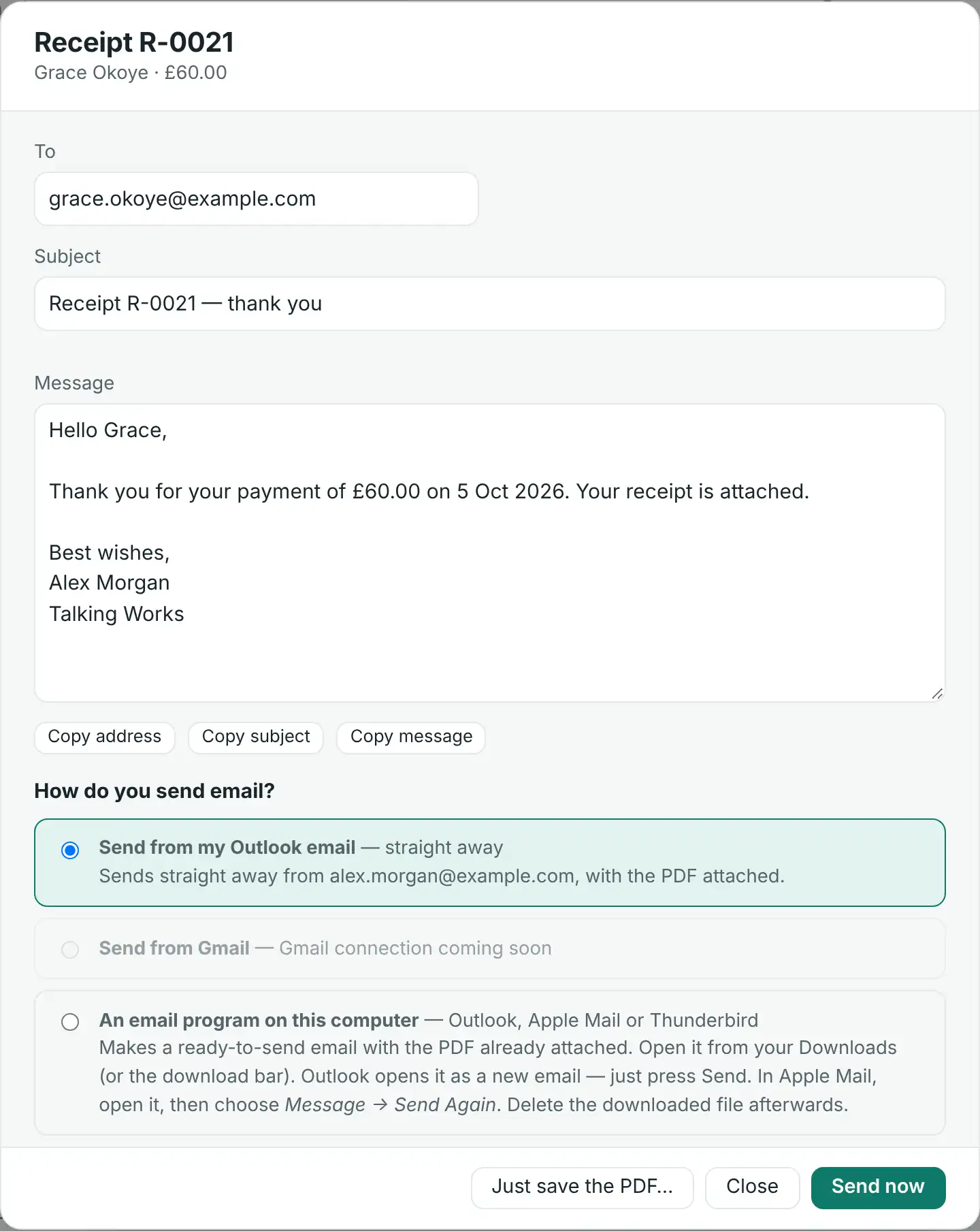
Supervision and process notes
Private process notes, encrypted with your own key, never seen by your executor and never included in record requests.
- Tick “Bring to supervision” on a process note and it joins your Supervision topics, grouped by client
- During or after supervision, write notes under each client, save them back to the process note, and add non-client topics
- Save the session and the supervision hours go into your Hours log
- The saved supervision record shows client codes only, never names
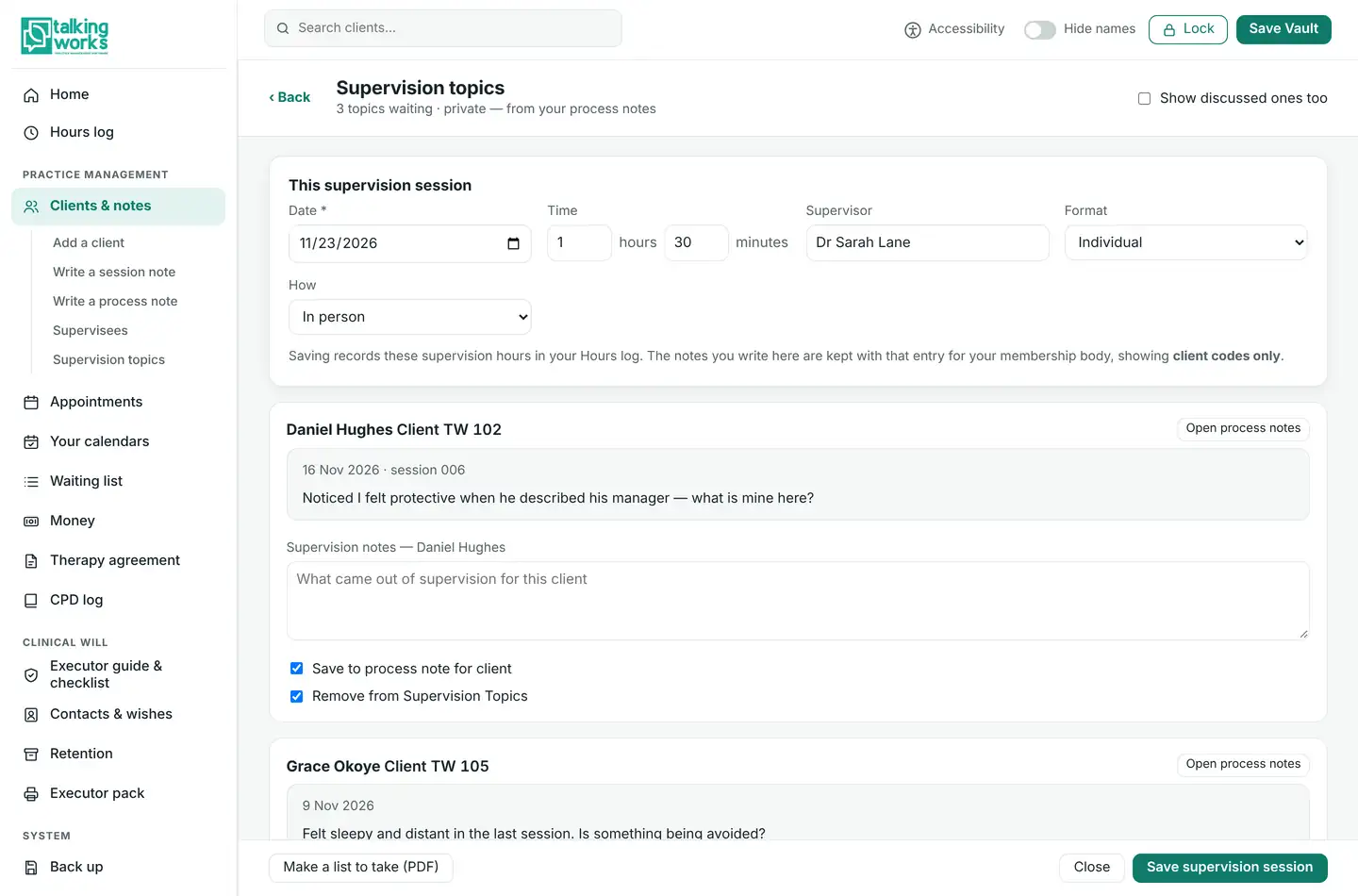
Your Clinical Will, kept up to date
Record your professional bodies, insurer, supervisors, referral options and wishes alongside your records, so your clinical executor has everything they need.
- Executor guide and a step-by-step checklist
- Executor pack: printable instructions, upcoming appointments, a client contact list and client detail sheets
- A separate executor passcode that opens client records, notes and appointments, but never process notes or the CPD log
- Retention: deletion dates (7 years by default, adjustable), secure deletion and a destruction register
- An executor USB stick with instructions, a copy of the software and an encrypted backup
Install the software on a Chromebook kept solely for your practice. If you die or become unable to work, your next of kin simply hands the laptop to your clinical executor, who opens the Vault with their own passcode and takes over. No passwords to hunt for and no files to find.
Your hours, CPD and supervision, checked against every body you belong to.
Log once, and see where you stand for each of your professional bodies.
Hours log
- Client hours count themselves from your session notes
- Supervision, training, personal therapy and CPD, with goals and charts
- Placements, reports with sign-off boxes and an accreditation evidence pack
- Import past hours from a spreadsheet
More than one professional body
- Dual accredited (for example UKCP and BACP)? Add each body you belong to
- Enter each body's own supervision rule: a ratio, hours a month or hours a year
- CPD hours over each body's own period, with membership number and renewal date
- Renewal reminders on Home
CPD and supervision log
- CPD activities with reflections, and certificates attached
- Supervision attended: date, supervisor, format and how you met
- One click creates an audit-ready CPD report (PDF) or a zip audit pack with every certificate
- Kept in its own encrypted file that your clinical executor's passcode cannot open
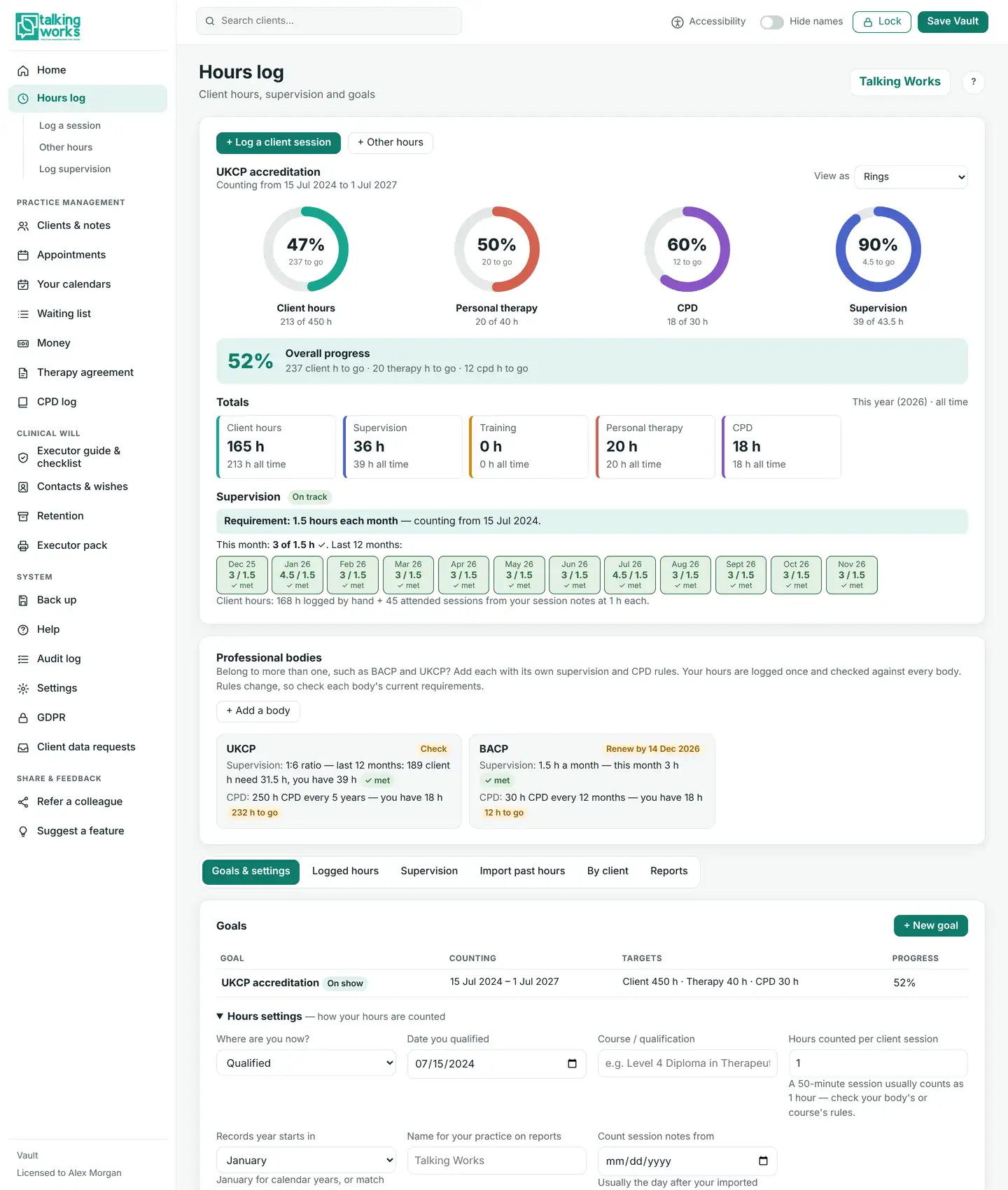
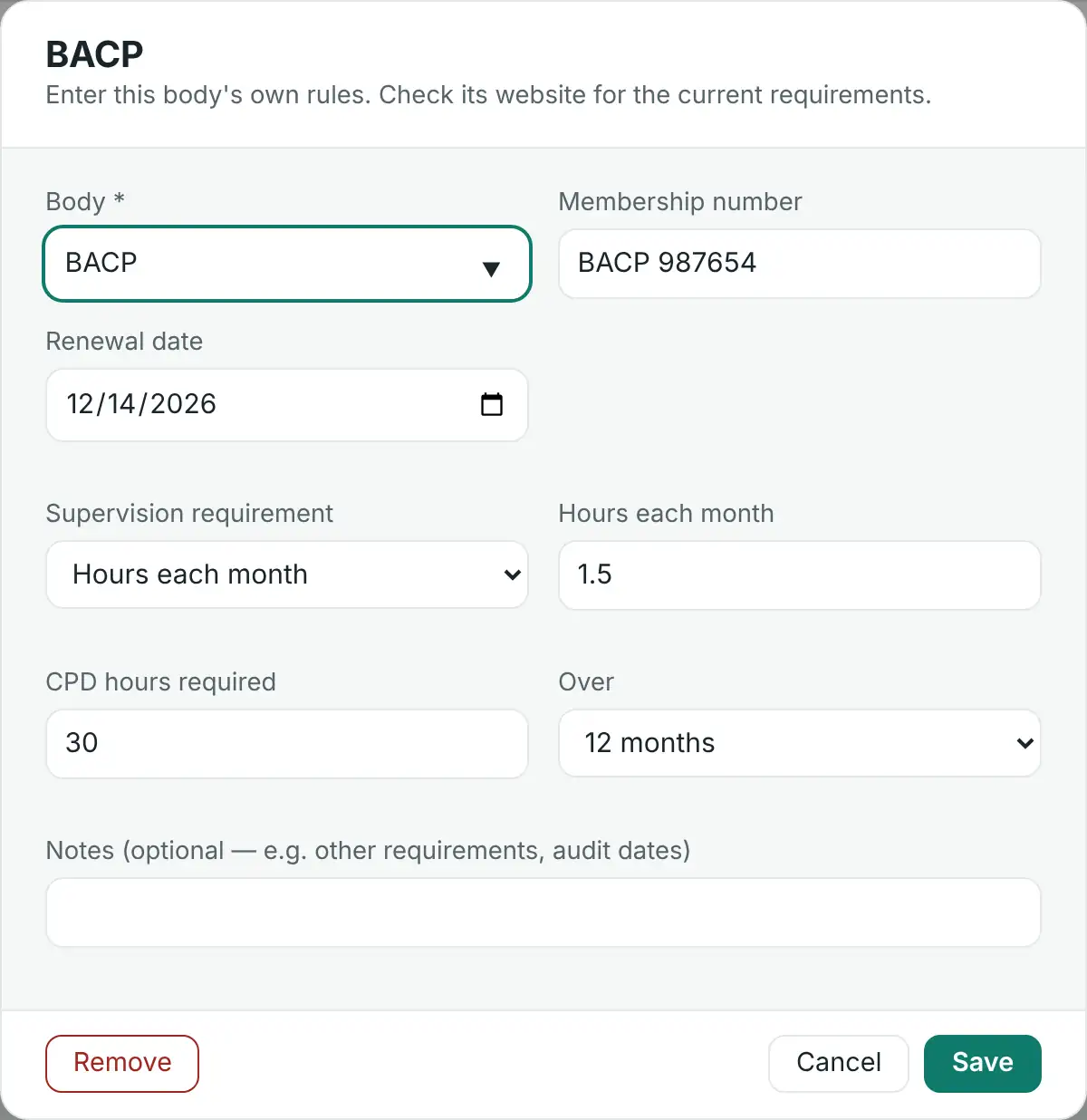
Requirements differ between professional bodies and change from time to time: you enter your own body's rules, so check its current requirements. The software is not approved or endorsed by any professional body.
Outcome measures, a therapy agreement, a waiting list and more.
Outcome measures
- PHQ-9, GAD-7 and CORE-10, filled in by the client on screen or entered from paper
- Automatic scoring with severity bands and clinical cut-offs
- Risk flags shown in the client list, Quick view and on Home, and a progress chart for each client
Therapy agreement
- A suggested UK therapy agreement, including a clinical executor clause, that you can fully customise
- A branded PDF that clients fill in on a computer or phone; the software reads the ticks, signature and date and files it with the client
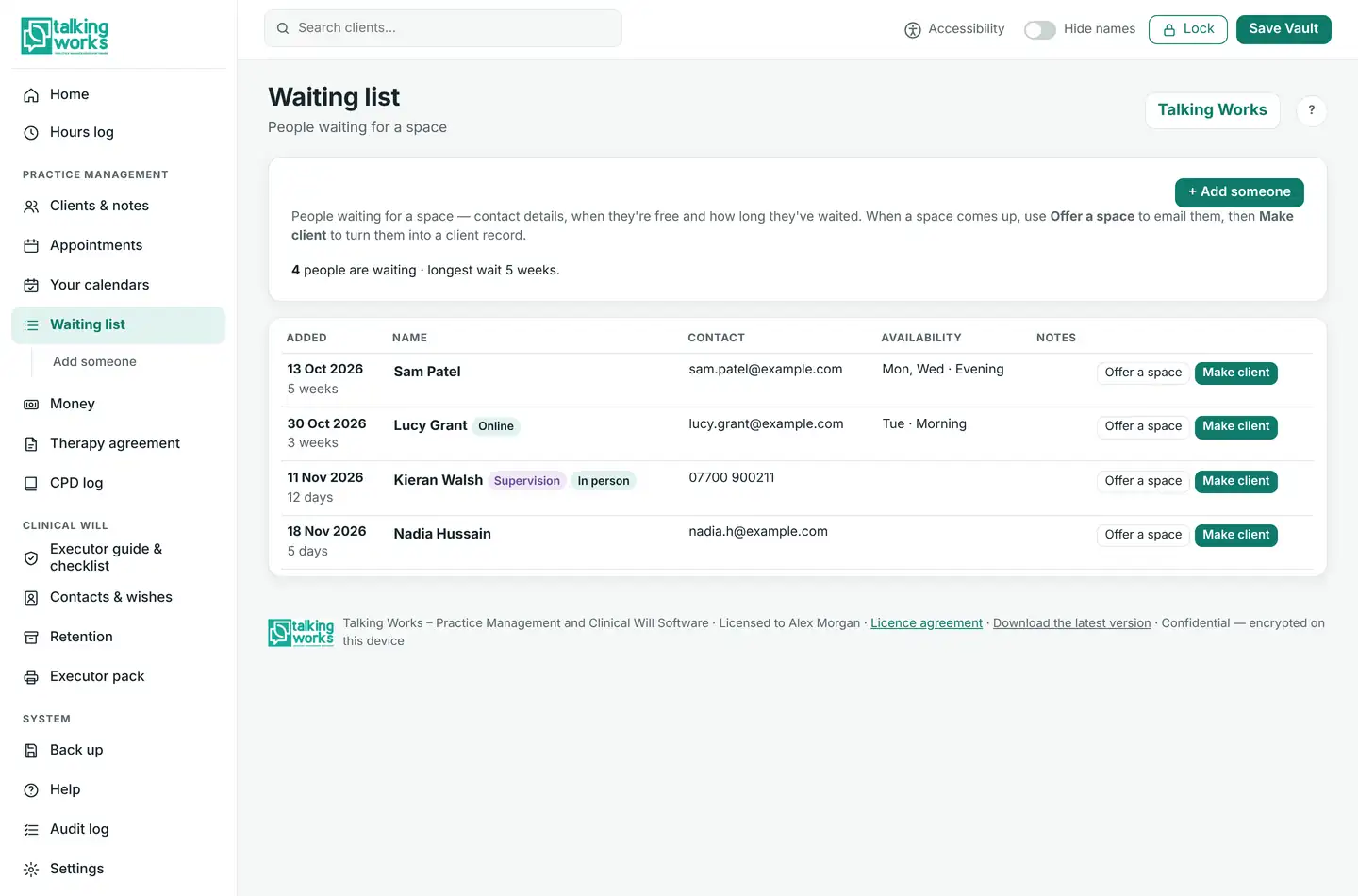
Waiting list
- Contact details, the days and times people are free, how long they have waited, and notes
- Offer a space, and turn someone into a client in one click
Forms
A branded, customisable intake form (fillable PDF) with your own questions, new clients created straight from a returned form, and update-your-details reminders with a pre-filled form.
Your branding and help
Your practice name, logo and colours on screen and on notes, forms, invoices and agreements. A full user guide and a separate clinical executor guide are built in.
Made for everyone
An accessibility menu on every page and the sign-in screen: three text sizes, high-contrast or cream backgrounds, light or dark, an easy-read font, wider line spacing and reduced movement.

The therapy agreement and tax-year summary are aids, not legal or tax advice, so check them with your professional body or accountant. PHQ-9 and GAD-7 were developed by Drs Spitzer, Williams, Kroenke and colleagues with an educational grant from Pfizer Inc. No permission is required to reproduce them. CORE-10 is © CORE System Trust and is reproduced unchanged in the software.
Your clients' information stays on your computer.
Designed with UK GDPR, professional body record-keeping and the Clinical Will in mind. You remain the data controller.
Encrypted Vault
All records live in one Vault file, encrypted with AES-256-GCM and a key made from your passphrase. Nothing is stored online. Nothing is sent anywhere unless you choose to connect your calendar or email, and even then, only what you choose, straight from your browser to Google or Microsoft. There is no Talking Works server.
Data requests made simple
Build a subject access request as a PDF or zip, track the one-month deadline and keep a request log, all from within the app.
Safe by design
An audit log records significant actions, the Vault locks itself, and backup reminders check that each backup can be read back.
Software Licence Agreement. The software works best in Google Chrome or Microsoft Edge on Windows, Mac, Chromebook or Linux, where changes save straight back to your Vault. It also works in Safari or Firefox, but there each save goes to your Downloads folder. iPhone, iPad and Android are not supported for running the program (here is why), though clients can fill in its forms on a phone. There is no way to recover a lost passphrase, so keep it somewhere safe.
Bring your clients and notes with you.
Many online practice systems charge a subscription for as long as you practise. Talking Works costs £149 once, with no monthly fees, ever. It includes the features people moving across ask about most: a connected diary, outcome measures, invoicing and payments, a waiting list, a therapy agreement, SOAP and DAP notes, and importing a client list.
Import your client list
Export your client list from your current system as a spreadsheet (CSV) and import it. Columns are matched automatically and duplicates are skipped.
Bulk import your notes
Download your existing notes as Word or PDF files and bring them in one go. They are matched to clients by code or name, then check each client's imported notes.
Run both for a while
I recommend a transition period where you keep using your existing notes system alongside, until you are confident with the new software. Then cancel your subscription.
The free Hours Counting Tool
For trainees and qualified therapists counting hours for qualification, accreditation or membership. It has the new look, a Home page you arrange, professional bodies and the accessibility menu too.
Start the full 30-day trial any time with one click, and a licence key turns it into the full software, with your hours just as they were.
Try it free for 30 days
Every feature, with no account to create. Your records stay on your computer.
Talking Works software: Terms of service · Software Licence Agreement · Privacy notice