

Free, for good
Count your hours, track your goals, and be ready for sign-off.
For trainees and qualified therapists counting hours for qualification, accreditation or membership. Client hours, supervision, training, personal therapy and CPD, all encrypted and kept on your own computer.
One file that opens in Google Chrome or Microsoft Edge on a Windows PC, Mac, Chromebook or Linux computer. No account, nothing sent anywhere.
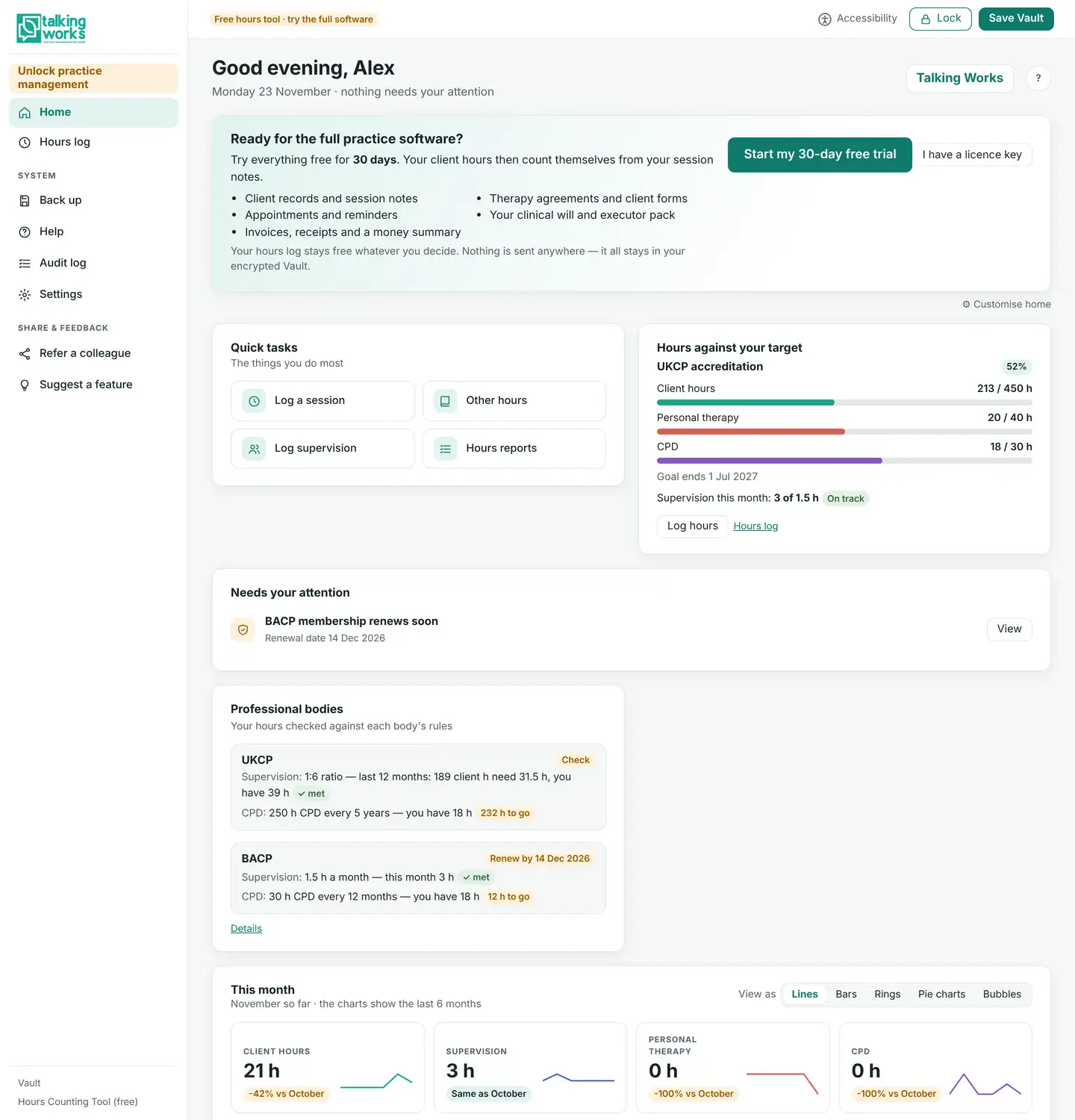
Everything you need to keep your hours in order.
Every kind of hour
Client hours, supervision, training, personal therapy and CPD, in training and after you qualify, with pre- and post-qualification hours shown separately.
Goals, your way
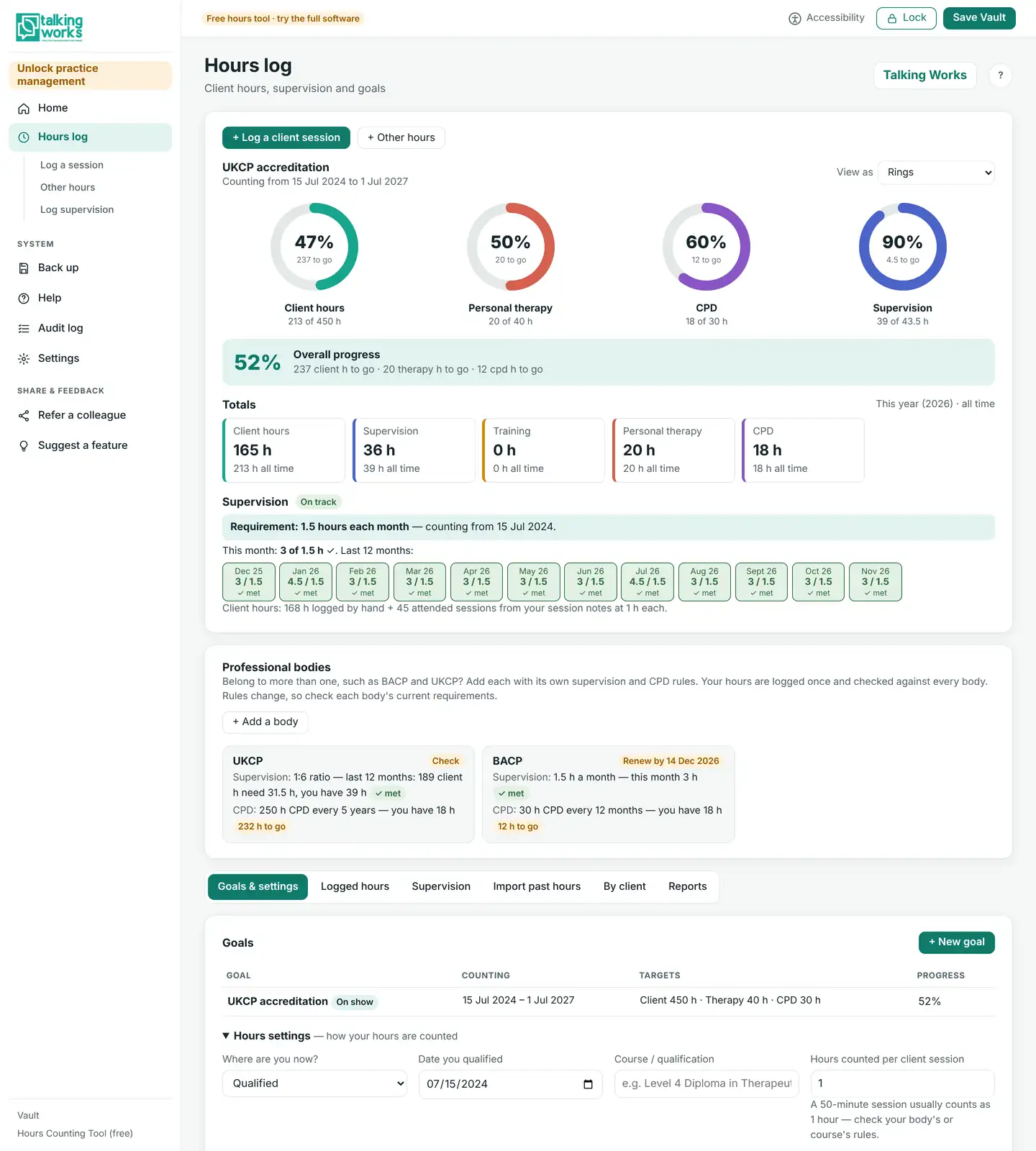
Set goals such as 450 client hours for accreditation, a qualification or annual CPD. See progress as bars, bubbles, rings, pie charts or progress over time, with a congratulations pop-up when you reach a target.
Supervision checks
Set your requirement as a ratio to client hours (for example 1:6), hours each month or hours each year, with month-by-month or year-by-year checks, a first-year-of-placement option, and a nudge when nothing is logged this month.
Import past hours
Bring in years of client hours, supervision and personal therapy from a spreadsheet (CSV), with templates, a preview and a check for unreadable or duplicate rows.
Placements
Hours totalled for each placement, with a separate sign-off box for each one.
More than one professional body
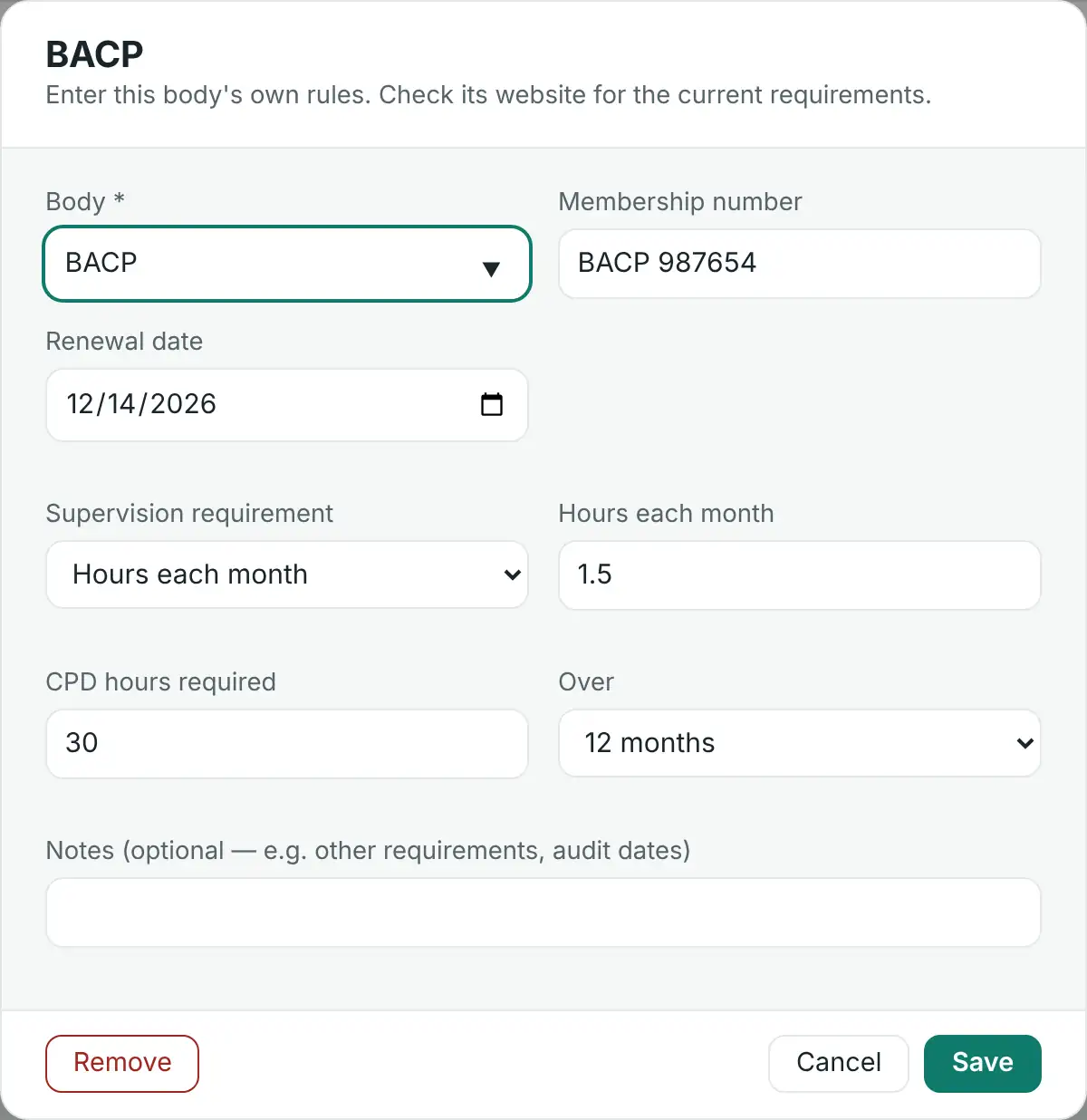
Dual accredited? Add each body with its own supervision rule (a ratio, hours a month or hours a year), CPD hours over its own period, membership number and renewal date. Your hours are logged once and checked against every body.
A Home page you arrange
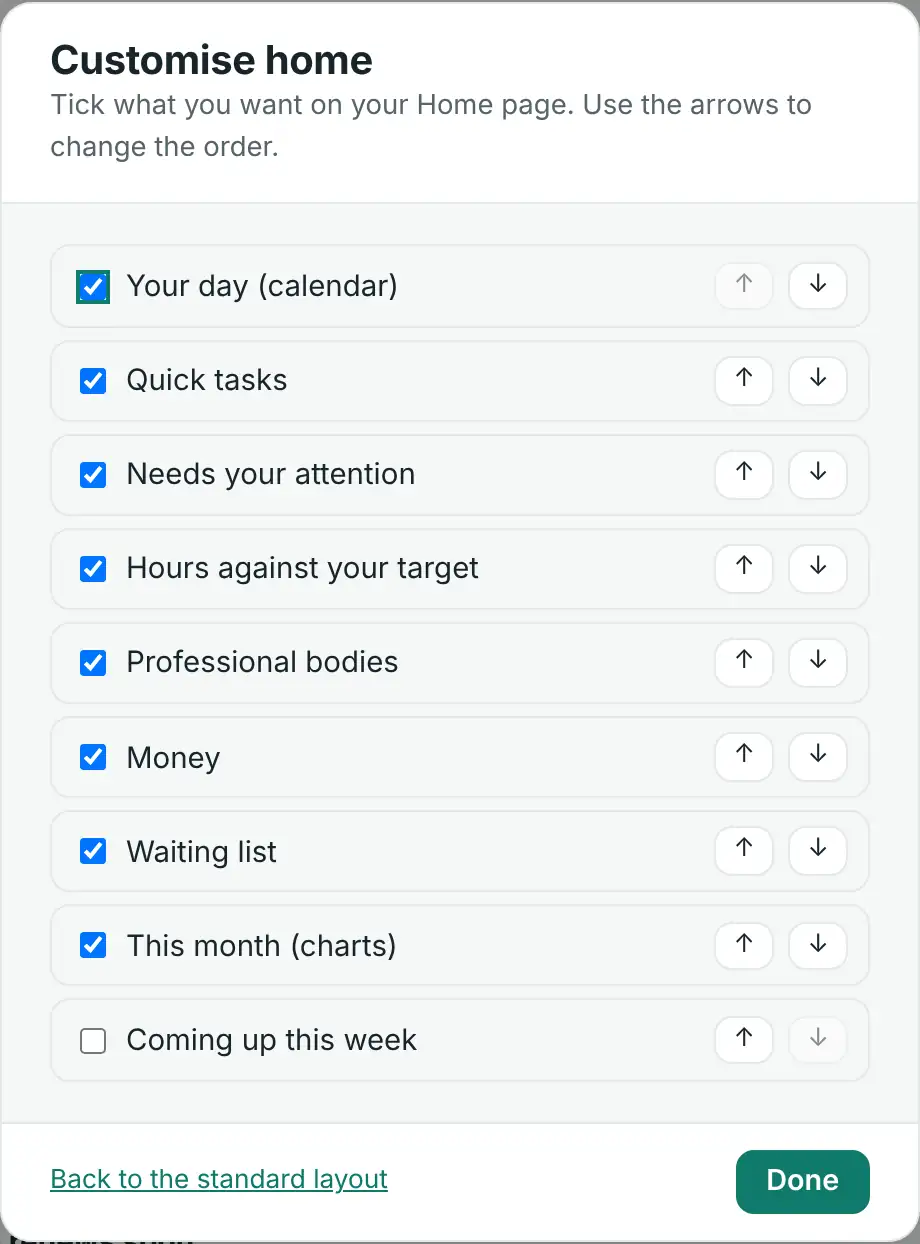
Choose the widgets you want, such as hours against your target and your professional bodies, and put them in your own order.
Accessibility
Three text sizes, high-contrast or cream backgrounds, light or dark, an easy-read font, wider line spacing and reduced movement, on every page.
Reports and evidence pack
A record of practice hours PDF with sign-off boxes for placement managers, supervisors, tutors and therapists; spreadsheet exports; a yearly summary; and an accreditation evidence pack in one zip. Client codes only, never client names.
Requirements differ between professional bodies and courses, and change from time to time. Check your body's or course's current rules. The tool is not endorsed by any professional body.
Getting started
- Download the file and save it somewhere you will find it again, such as your Documents folder.
- Open it in Google Chrome or Microsoft Edge. Create your Vault: one encrypted file that holds your hours.
- Choose a strong passphrase. It cannot be recovered by anyone, including me, so write it down and keep it safe.
- Add your hours, or import your past hours from a spreadsheet, and set a goal.
- Back up regularly to a separate drive. The tool reminds you.
Free, and ready when you are
The Hours Counting Tool is free, for good. There is no account, and nothing you enter is sent anywhere.
When you start in private practice, one click starts a 30-day free trial of the full software, with client records, notes, appointments, money, agreements and your Clinical Will. Your client hours then count themselves from your session notes. A licence key turns it into the full software straight away, with your hours just as they were.
See the privacy notice and the licence agreement.
Reports use client codes only, never client names. Please keep identifying client details out of your notes and reflections, as you would in any record shared with a course or membership body.
Ready to run your own practice?
When you qualify, the full software adds client records, notes, appointments, money and your Clinical Will. 30-day free trial, then £149 once.
Talking Works software: Terms of service · Software Licence Agreement · Privacy notice