
A walk round Talking Works HQ.
Follow a week in practice, from opening your Vault to your Clinical Will, in nine short steps. Click any picture to see it full size. A fuller guided tour is on its way.
Open your Vault
Talking Works HQ is a single file that opens in Google Chrome or Microsoft Edge. Your records live in a separate encrypted Vault file on your own computer, unlocked with your passphrase. Keep it safe: it cannot be recovered by anyone, including me.

Your Home page
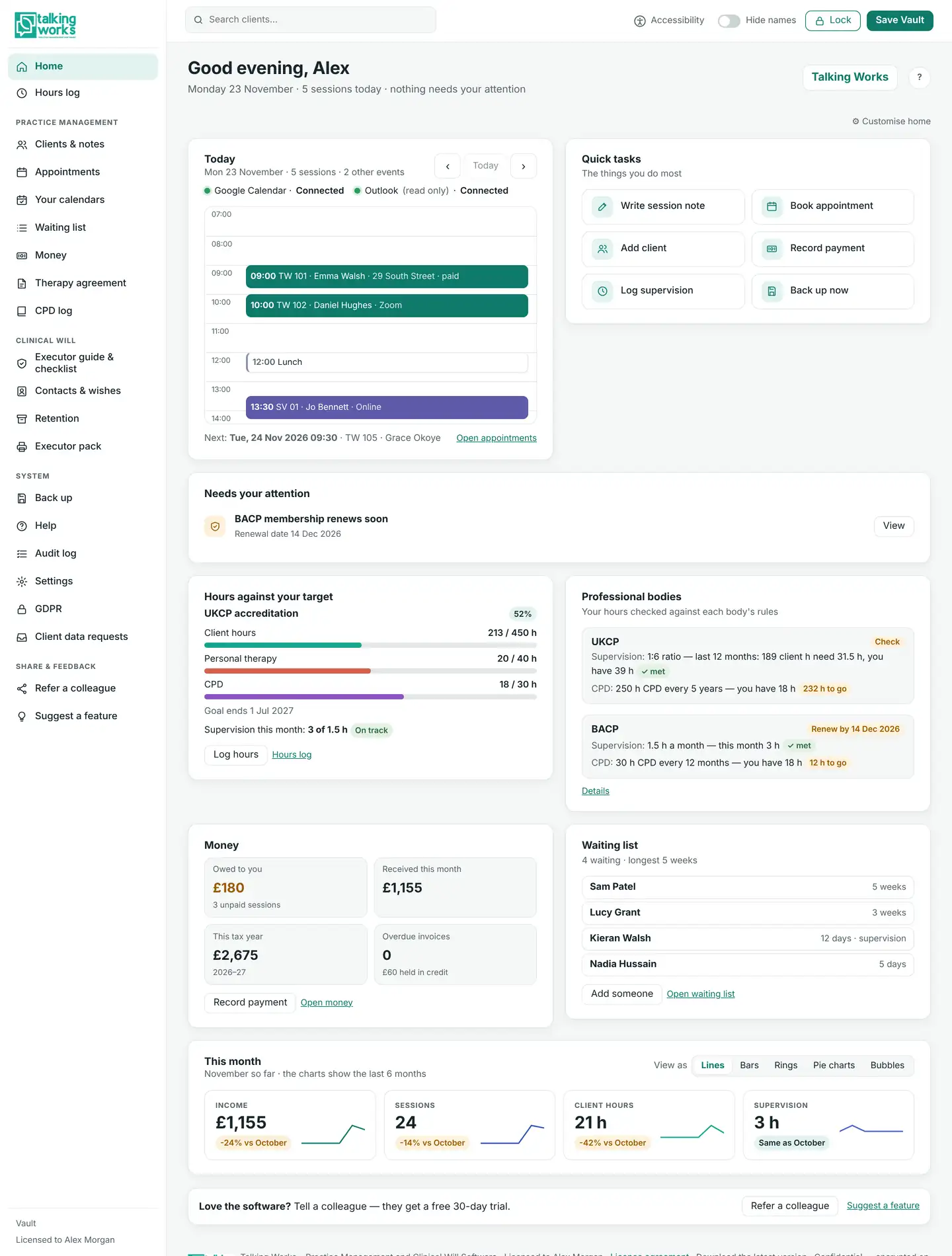
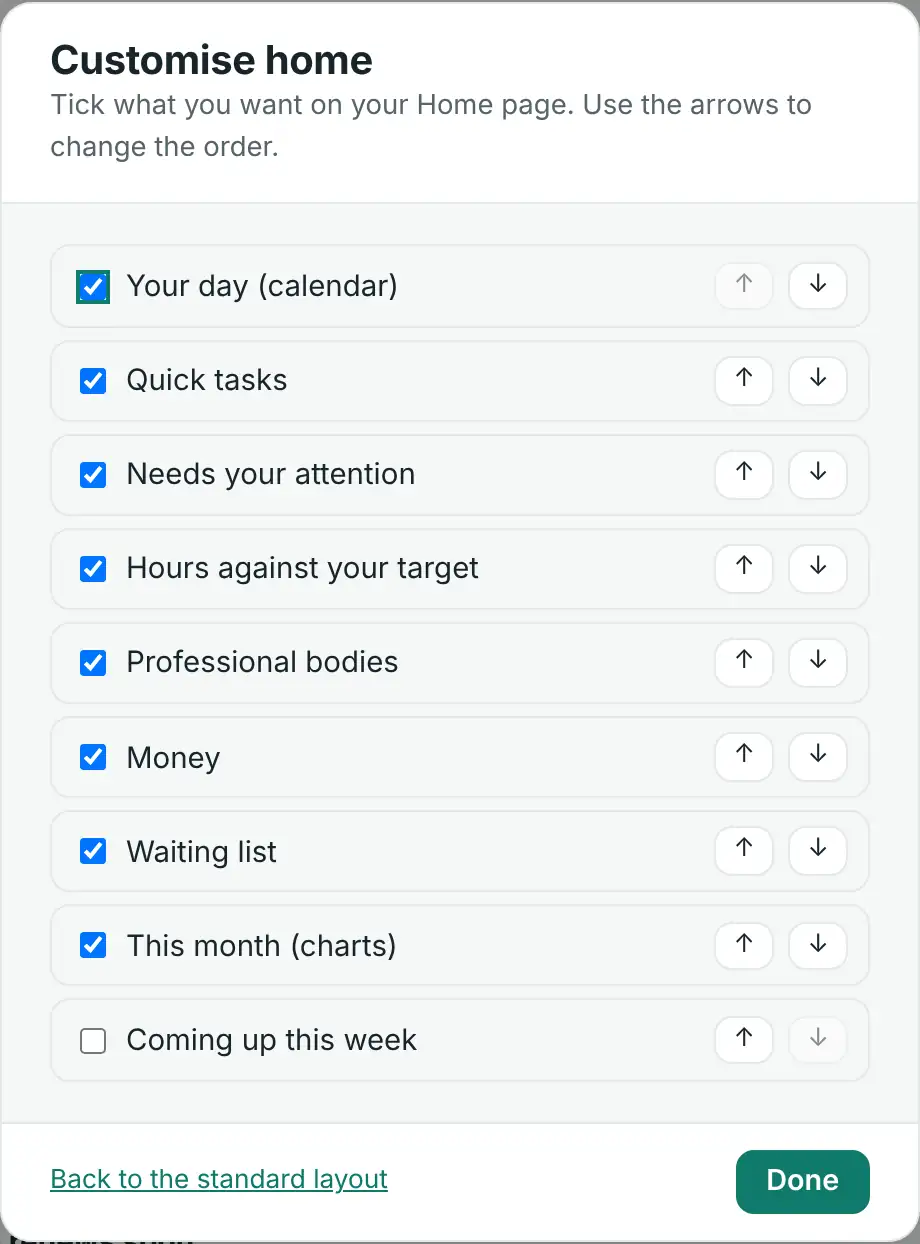
See your day, what needs your attention, quick tasks, hours against your target and money at a glance. Tick the widgets you want on your Home page and put them in your own order.
Your diary
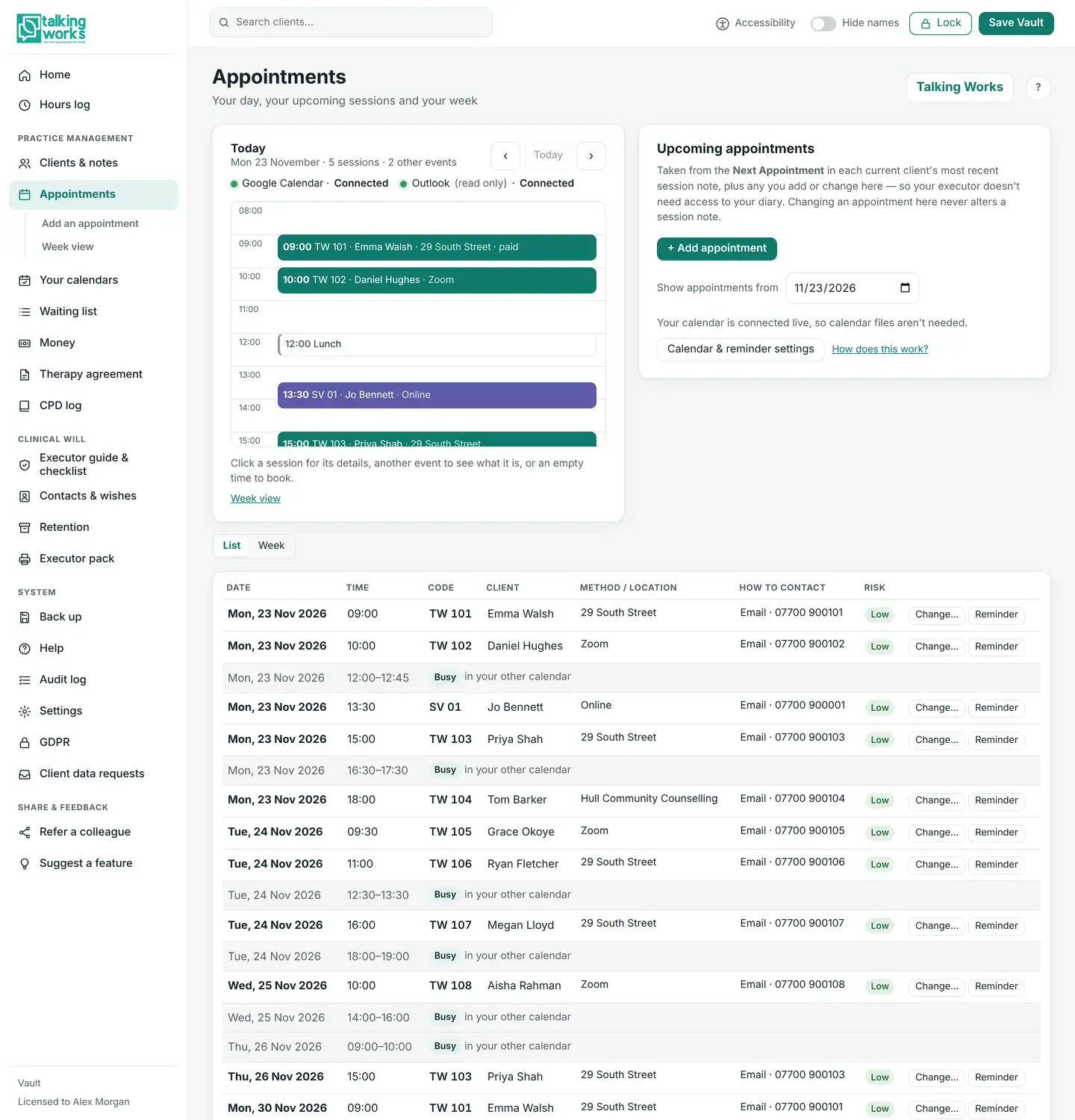
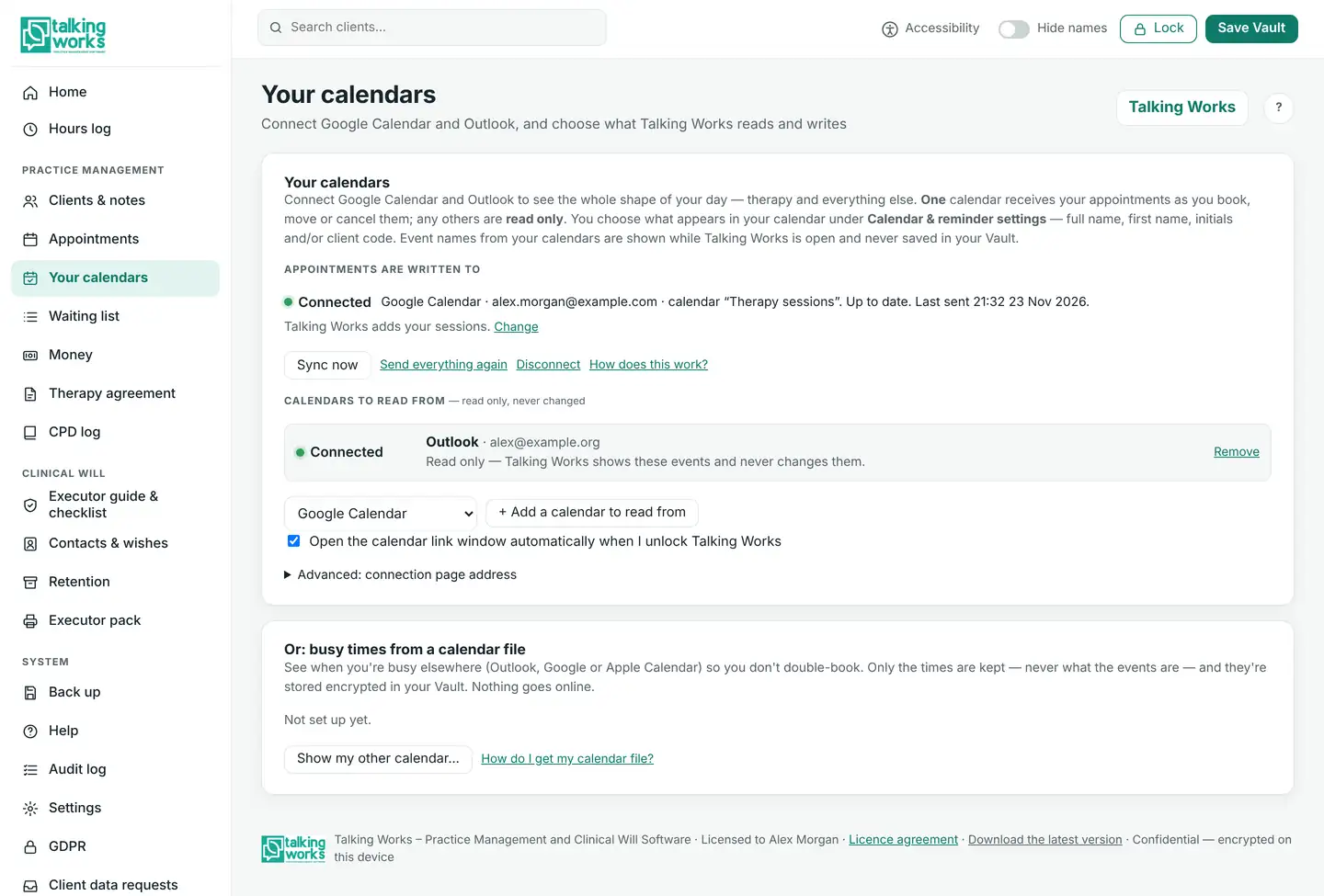
Day and week calendars. Click a session to open it, or click an empty time to book. If you want to, connect Outlook / Microsoft 365 or Google Calendar (being verified by Google): one calendar receives your appointments, and any others are read only.
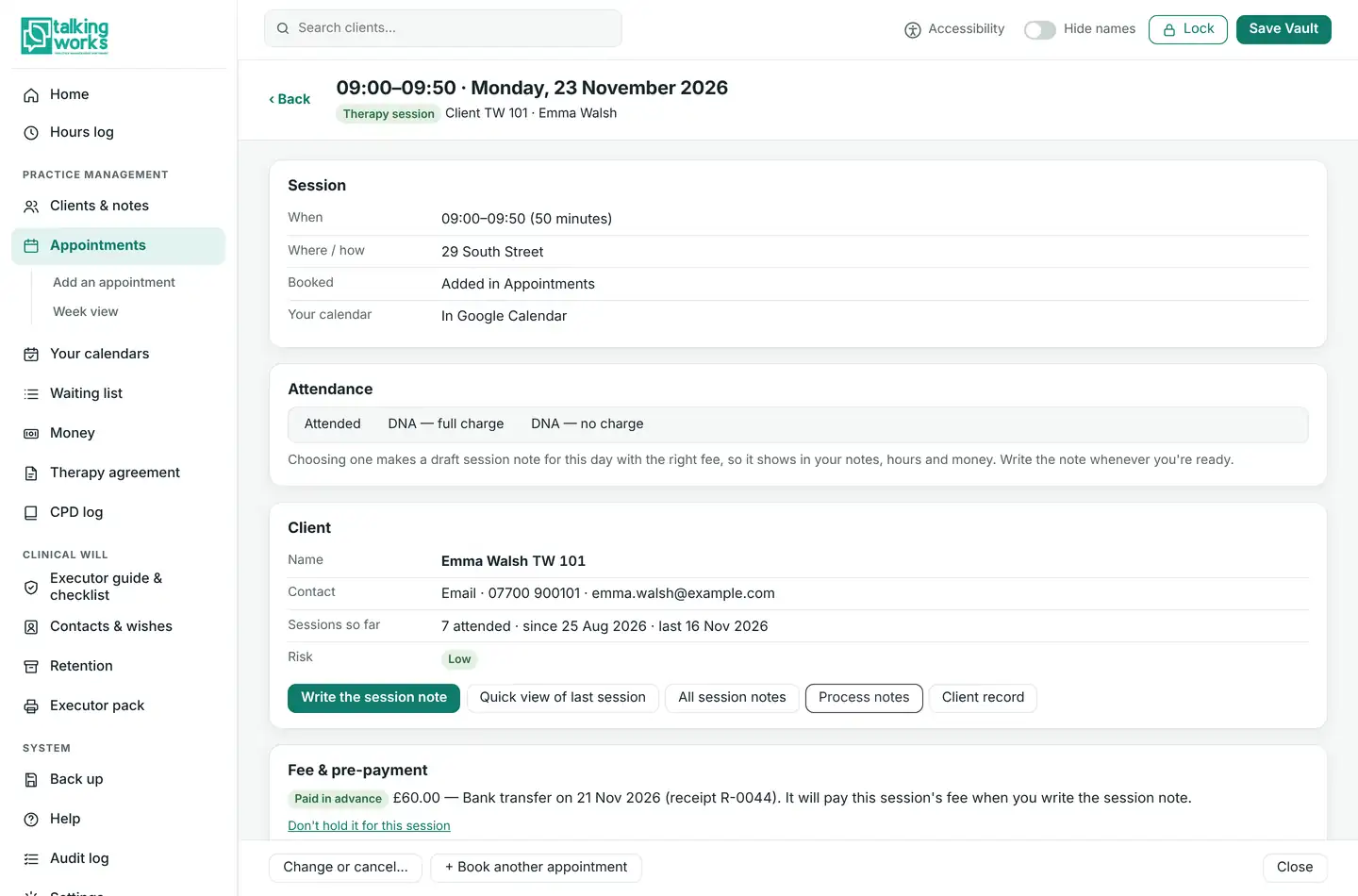
Every appointment
Each appointment has its own page. Mark it Attended, DNA with full charge or DNA with no charge in one click, and set any pre-payment against the fee.
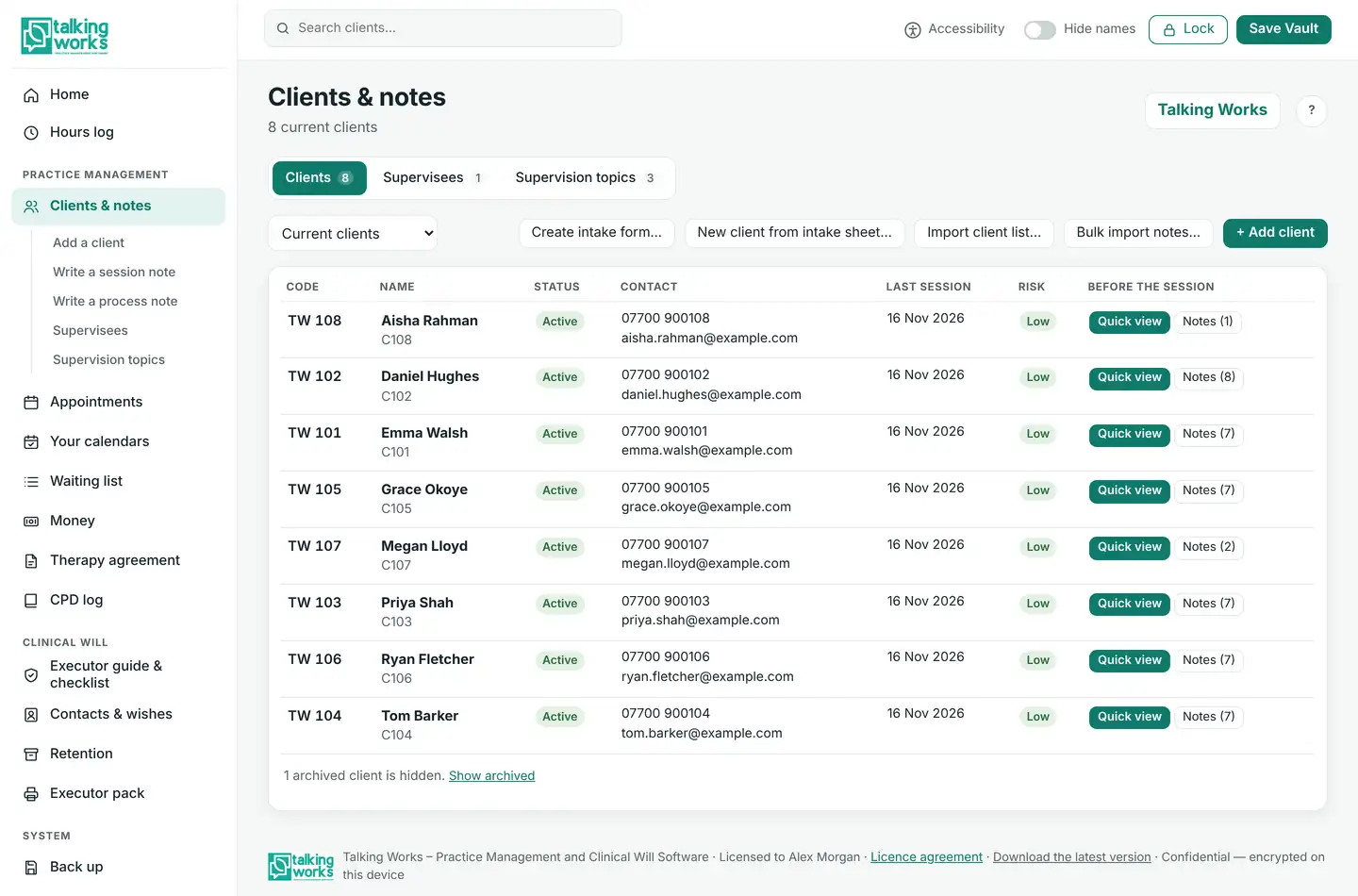
Clients
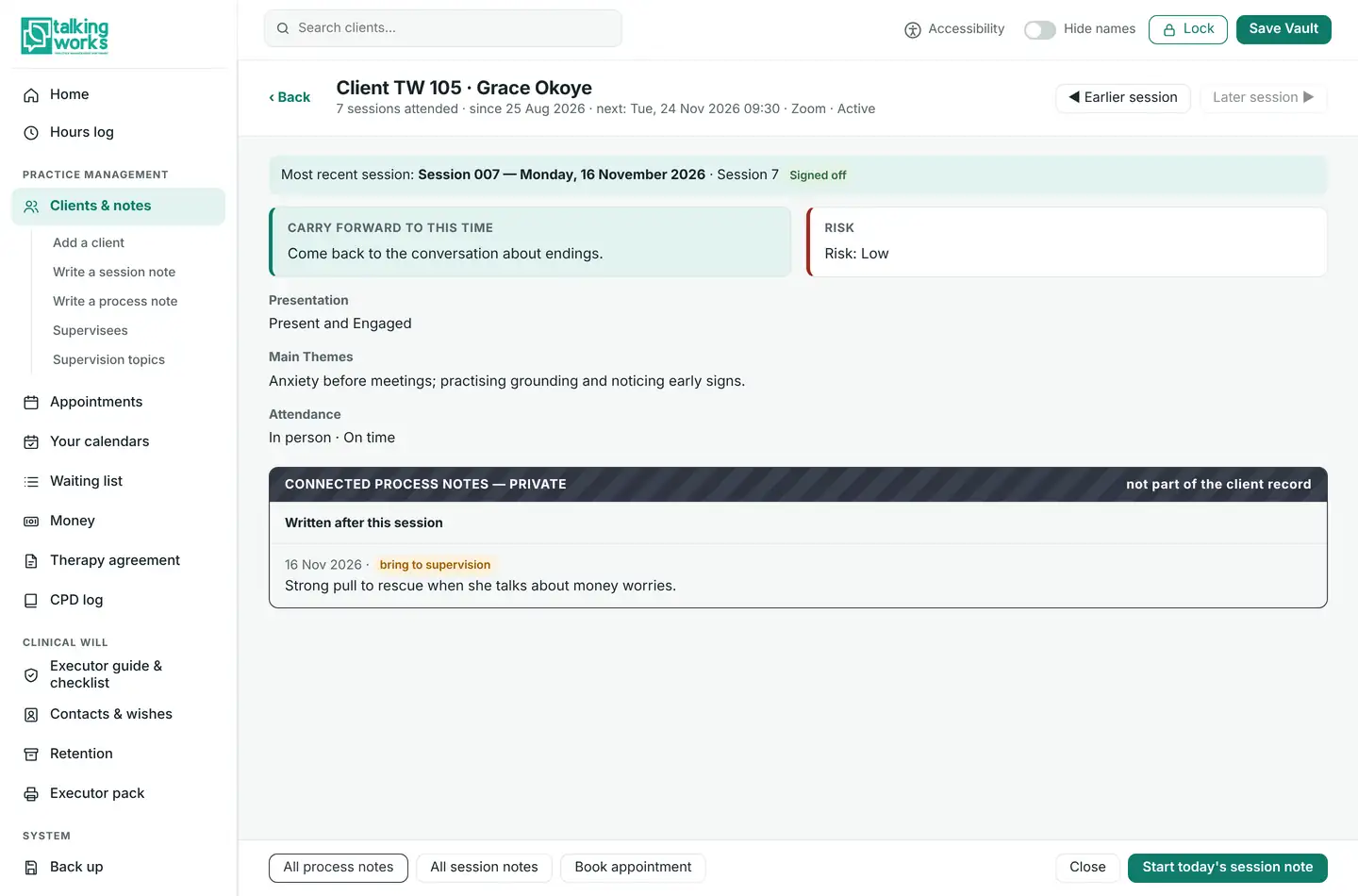
Tabs for clients, supervisees and supervision topics. Open a quick view before each session to see what to carry forward, risk, the last session and the latest questionnaire scores.
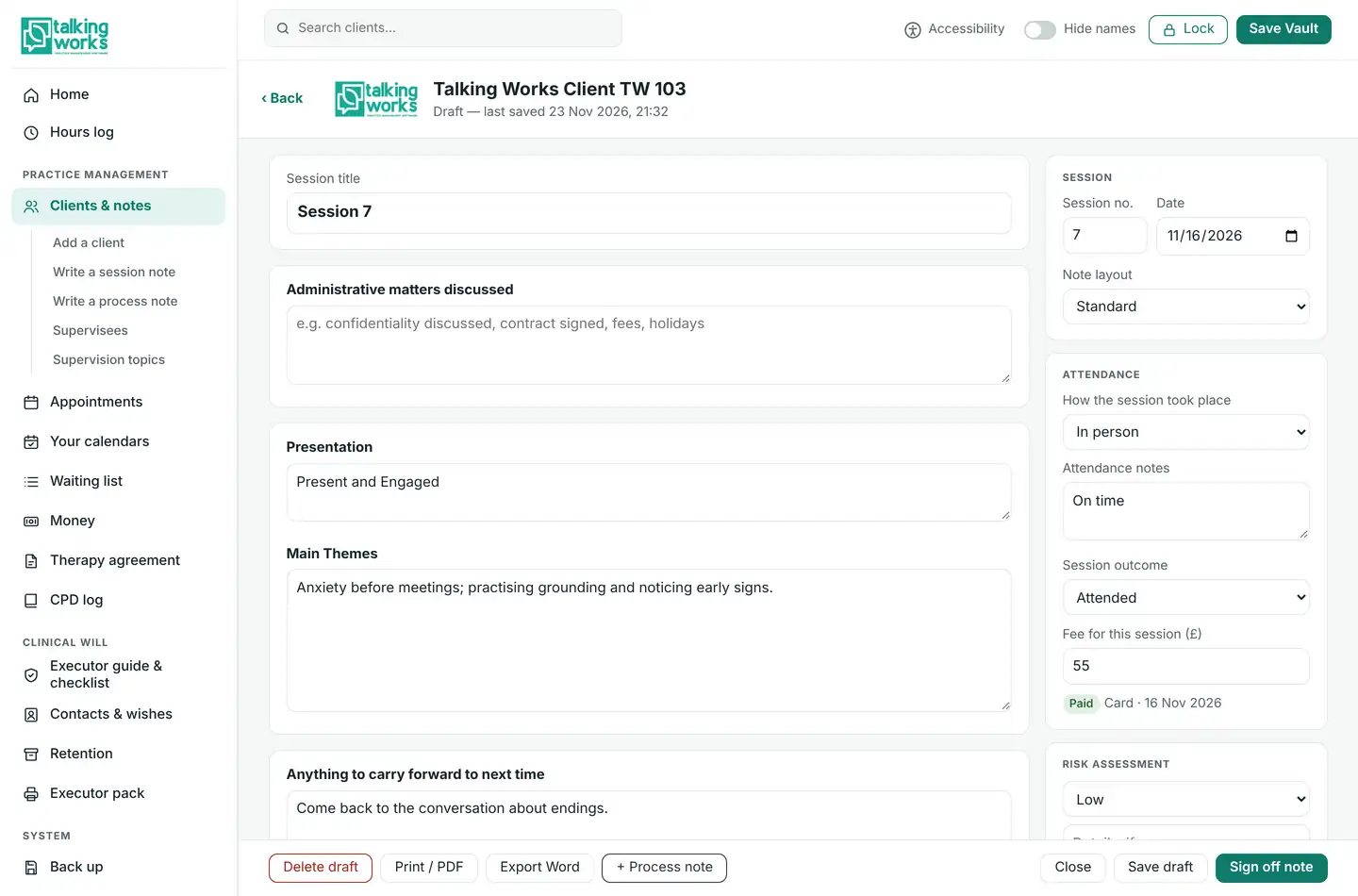
Session notes
A clear template for every session, with SOAP and DAP layouts if you prefer them. Tick “Payment already received” as you write the note, with no separate trip to Money.
Money and email
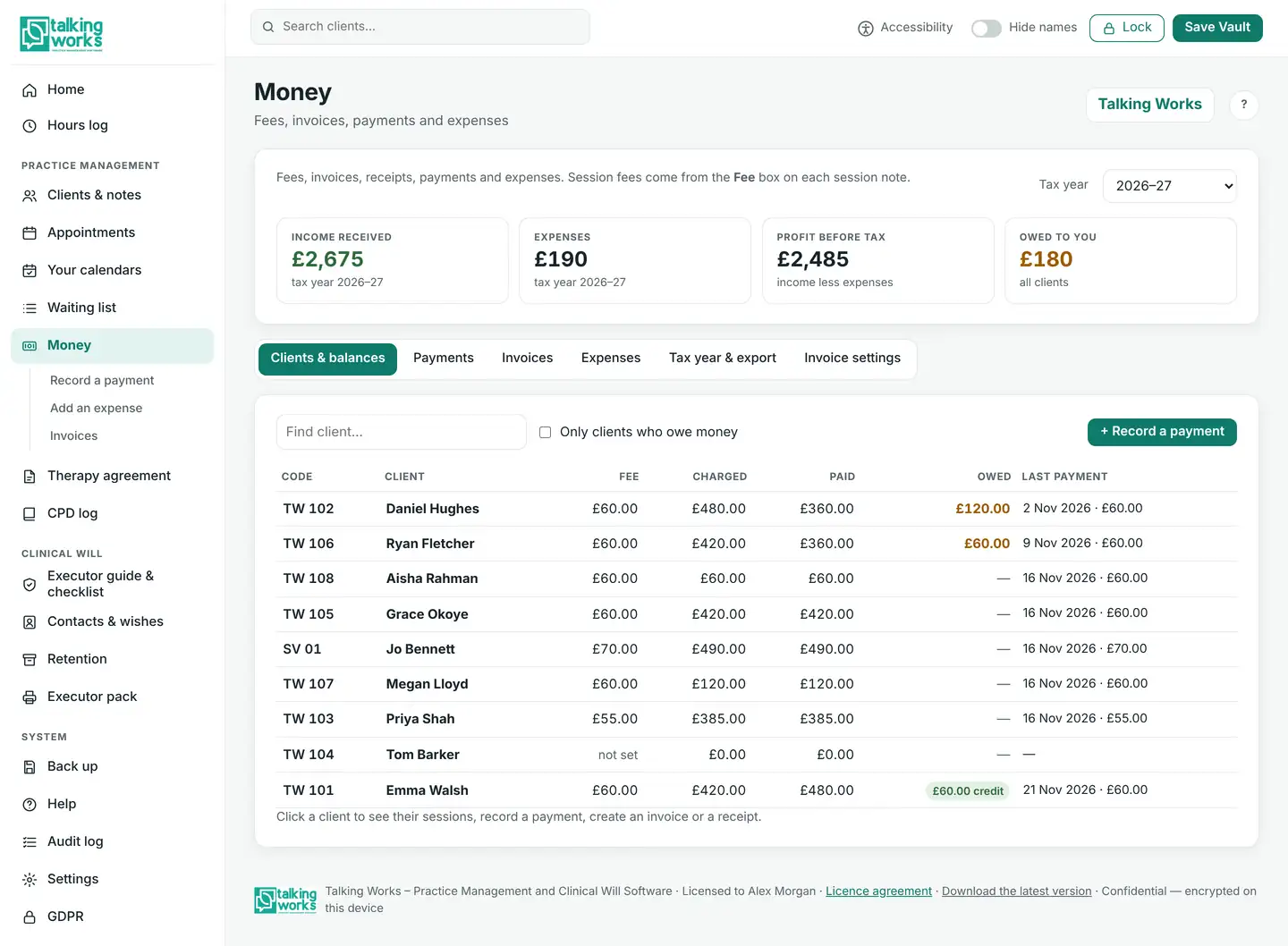
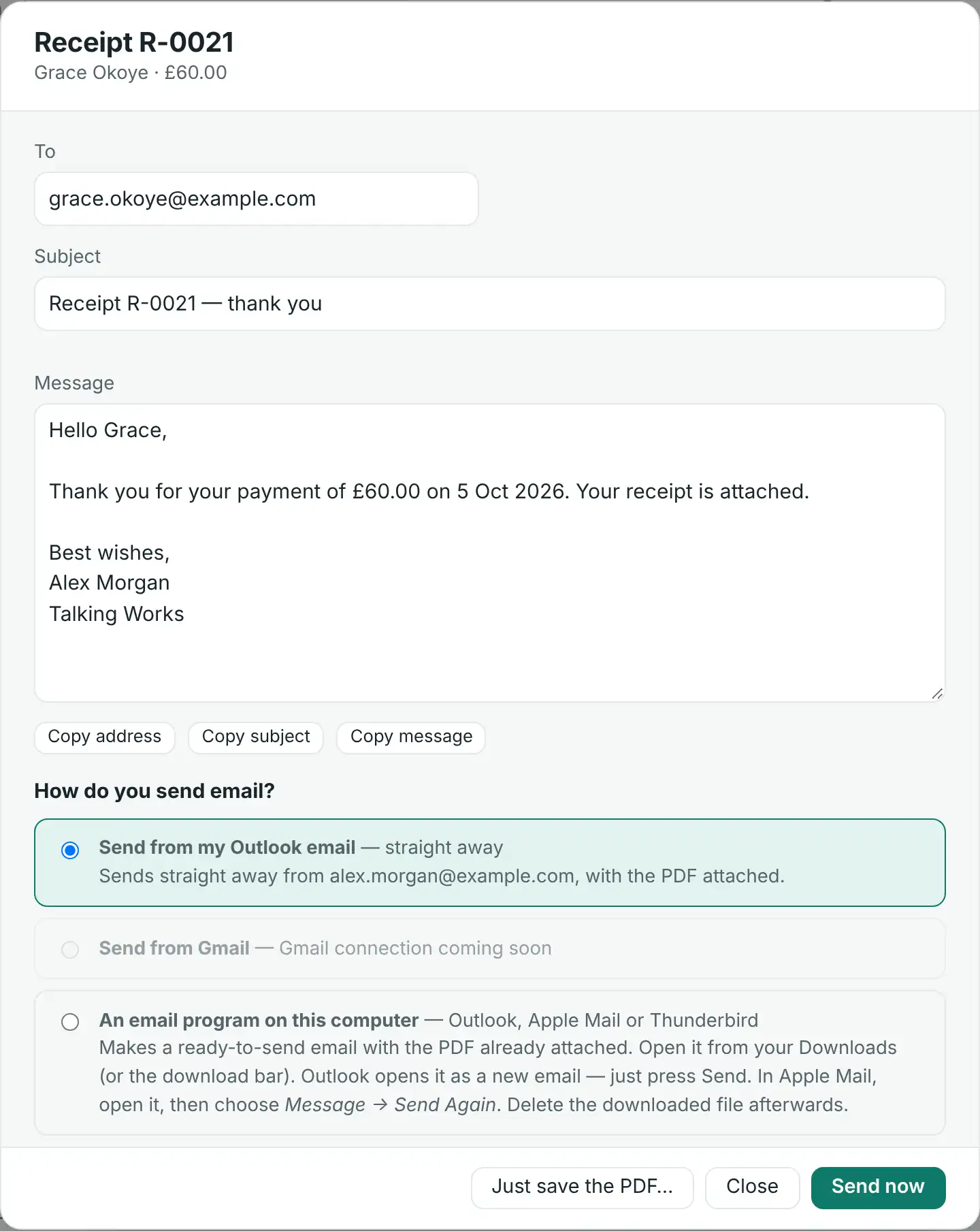
Invoices and receipts, payments on account, expenses in HMRC self-employment categories and tax-year totals for your accountant. Send receipts and reminders from your own Outlook or Microsoft 365 address (Gmail connection coming soon).
Supervision, hours and CPD
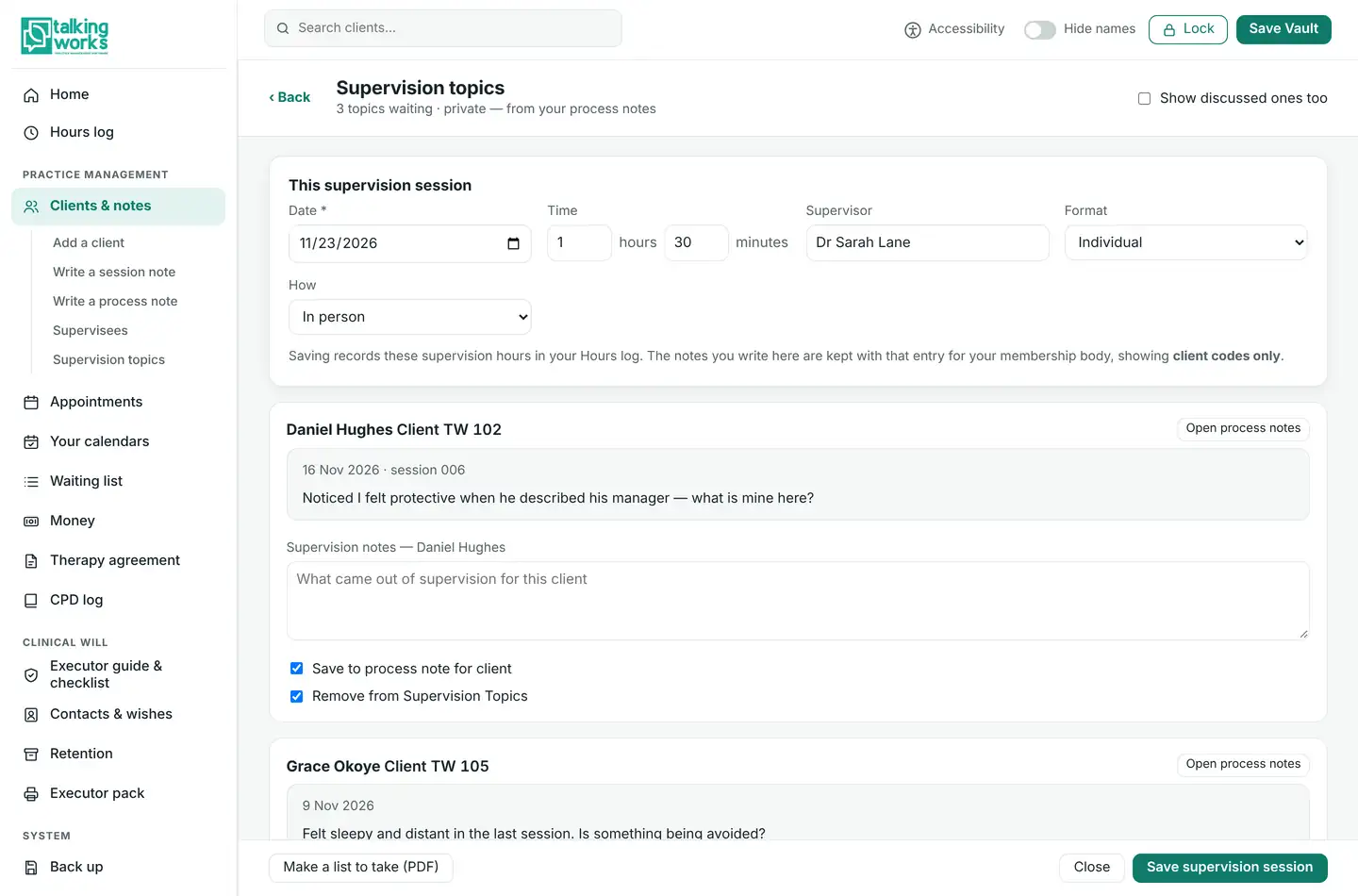
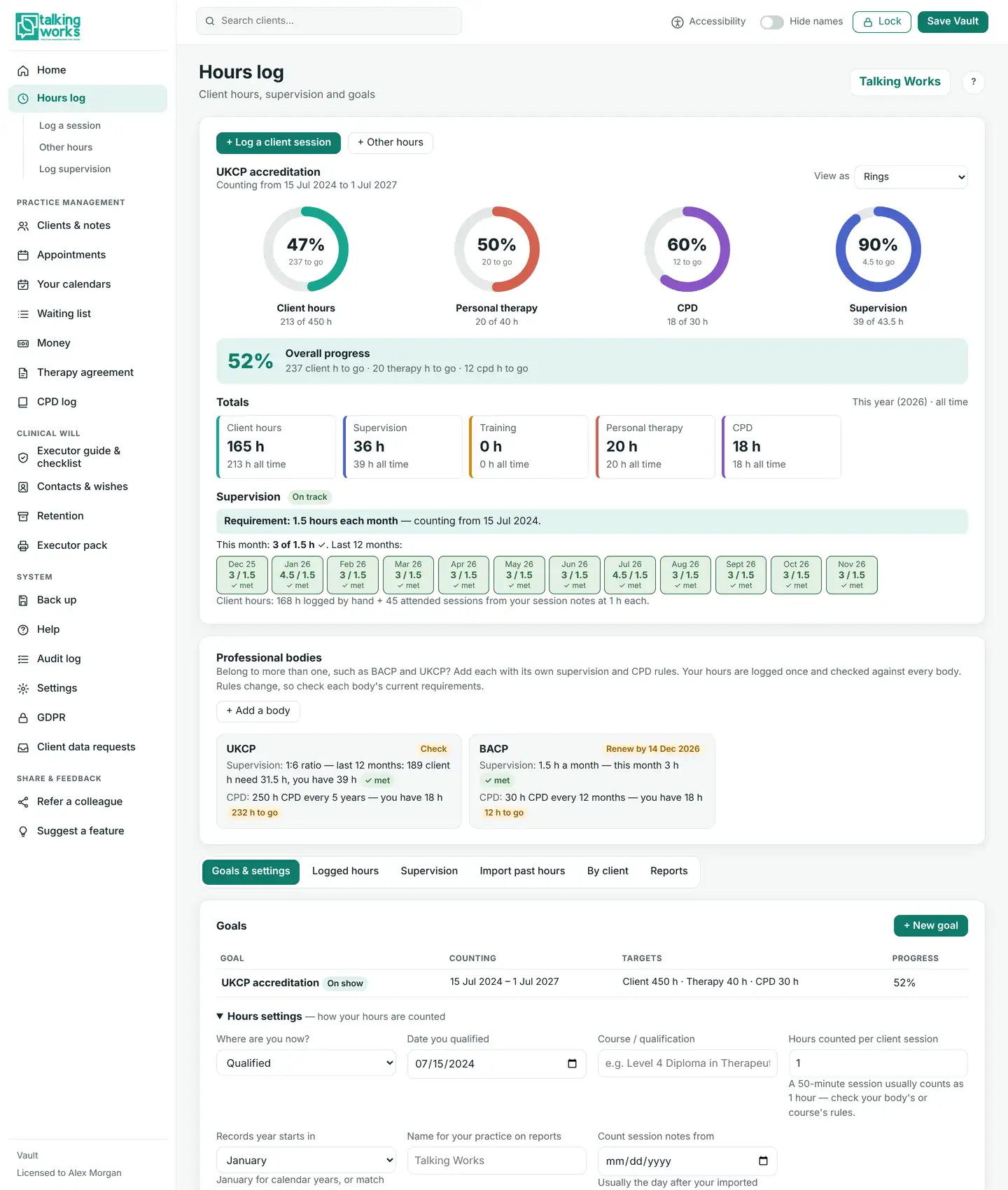
Supervision topics grouped by client. Client hours count themselves from your session notes, checked against each professional body's own rules, with a CPD log.
Your Clinical Will
Your executor guide, checklist, contacts and wishes are kept in the Vault on your computer. Your executor opens it with their own passcode, which never opens your private process notes or your CPD log. There is no subscription to keep paying and no account to unlock.
Ready to try it?
Every feature, with no account to create. Your records stay on your computer.
Talking Works software: Terms of service · Software Licence Agreement · Privacy notice